The best gaming monitor for most players in 2026 is the ASUS TUF Gaming VG277Q1A — 27-inch Full HD, 165Hz (overclockable to 280Hz on some variants), 1ms response, FreeSync Premium, Extreme Low Motion Blur. Best for visual fidelity: ASUS TUF VG27AQ (1440p, G-SYNC compatible, HDR10, ELMB Sync). Best immersive curved option: Sceptre C248W-1920RN (1800R curve, 98% sRGB, built-in speakers). Best general use + gaming crossover: Acer SB272 EBI (zero-frame IPS, FreeSync, low blue light). Best fast TN panel with warranty backing: Dell S2421HGF (144Hz, 1ms, FreeSync Premium, 3-year Advanced Exchange Service). Best premium 1440p esports pick: ViewSonic ELITE XG270QG (165Hz OC, G-SYNC, IPS Nano Color, built-in mouse bungee).
There's a specific moment in competitive gaming that reveals whether your monitor is actually helping you or quietly working against you. It's the moment right after you die in a way that felt wrong — you had the angle, you clicked first, and somehow you're the one respawning. Sometimes that's genuinely your reaction time. Often — more often than most players want to admit — it's the display. Input lag, response time, screen tearing during a fast pan, a refresh rate too low to render the frame that would have saved you. The monitor is not a passive window. It's an active participant in whether your reflexes actually reach the game.
Monitors, generally, went through a strange arc over the last decade. There was a period — genuinely, people said this — where displays were considered a mature, settled category. Nothing left to improve. Then competitive gaming exploded as an actual cultural force, esports became a real career path, and suddenly the display industry rediscovered ambition. Refresh rates climbed. Response times fell. Panel technology diversified into genuine specialisation rather than one-size-fits-all compromise.
The result, in 2026, is a monitor market that's more capable and more confusing simultaneously. More acronyms. More marginal specifications competing for attention. More decisions that actually matter, buried under decisions that don't matter nearly as much as the marketing suggests.
This list covers six monitors that earn their place for specific, honest reasons.
What Actually Makes a Monitor "Gaming"
Refresh rate is the headline specification, and for good reason. A standard monitor refreshes 60 times per second (60Hz). Gaming monitors on this list run from 75Hz all the way to 165Hz, with some overclockable higher. Each additional refresh per second is another opportunity for the display to show you an updated frame — which translates directly into smoother perceived motion and less visible blur during fast camera movement or quick target tracking.
Response time — how quickly a pixel changes from one colour to another — compounds with refresh rate. A high refresh rate paired with a slow response time produces ghosting: faint trailing images behind fast-moving objects, because the pixels haven't finished transitioning before the next frame arrives. 1ms response times (GtG or MPRT, depending on measurement method) are the standard for genuinely fast-paced competitive gaming.
Adaptive sync — G-SYNC (NVIDIA) or FreeSync (AMD) — solves a different problem: screen tearing, which occurs when the monitor's refresh cycle and the GPU's frame output fall out of alignment, producing a visible horizontal seam where two frames overlap on screen. Adaptive sync technologies dynamically match the monitor's refresh rate to the GPU's output rate, eliminating tearing without the input lag penalty that traditional V-Sync introduces.
Panel type determines the character of everything else. TN panels are fastest and cheapest but produce the least accurate, least vibrant colours and the narrowest viewing angles — a trade-off that's still relevant on this list, since the Dell S2421HGF specifically uses TN because of its speed advantage. IPS panels balance strong colour accuracy with competitive response times — the most versatile choice for players who also care about visual fidelity, and three of the six monitors here use IPS variants. VA panels deliver the deepest blacks and best contrast ratios but historically trail IPS and TN in response time, making them better suited to narrative and atmospheric games than twitch-reflex shooters.
Resolution and Size: The Scaling Problem
A larger screen at the same resolution means larger, softer-looking pixels — this is the mistake that trips up first-time monitor buyers most often. A 32-inch monitor at 1080p looks noticeably less sharp than a 24-inch monitor at the same resolution, because the same pixel count is stretched across more physical space.
The practical guidance: 1080p suits 24-25 inch screens comfortably. 1440p is the appropriate resolution for 27-inch screens — sharp without demanding flagship GPU power. 4K genuinely benefits from 27 inches and above, but requires substantially more GPU horsepower to drive at high refresh rates — a 4K monitor at 144Hz is a demanding target that only the newest high-end GPUs handle comfortably across recent titles.
This matters practically because a monitor upgrade without a corresponding GPU consideration can produce a worse experience than the previous setup — a 4K 144Hz monitor paired with a GPU that can only push 60fps at that resolution wastes most of what you paid for.
At a Glance — 2026 Comparison Table
| # | Product | Resolution | Refresh Rate | Response Time | Panel | Best For | Rating |
|---|---|---|---|---|---|---|---|
1 | ASUS TUF VG277Q1A | 1920×1080 (27") | 165Hz (OC to 280Hz*) | 1ms | Fast IPS | All-round competitive | ★★★★½ — 4.5/5 |
2 | ASUS TUF VG27AQ | 2560×1440 (27") | 165Hz | 1ms (MPRT) | IPS | Visual fidelity + speed | ★★★★¼ — 4.3/5 |
3 | ViewSonic ELITE XG270QG | 2560×1440 (27") | 165Hz (OC) | 1ms (GtG) | IPS Nano Color | Premium esports | ★★★★¼ — 4.3/5 |
4 | Sceptre C248W-1920RN | 1920×1080 (24") | 75Hz | Standard | VA (curved) | Immersion, value | ★★★★ — 4.1/5 |
5 | Acer SB272 EBI | 1920×1080 (27") | 100Hz | 1ms (VRB) | IPS | General use + gaming | ★★★★ — 4.0/5 |
6 | Dell S2421HGF | 1920×1080 (23.8") | 144Hz | 1ms | TN | Fast panel + warranty backing | ★★★★ — 4.0/5 |
Monitors vs. TVs for Gaming
The short version: monitors are built for close-range precision; TVs are built for distance and general entertainment.
Monitors pack their resolution into a smaller physical area, producing sharper text and finer detail at typical desk viewing distances (roughly 60-90cm). TVs spread the same or higher resolution across a much larger surface, meaning the pixel density — and therefore perceived sharpness at close range — is lower, even on a 4K TV, if you're sitting at desk distance rather than couch distance.
Response time and input lag also generally favour monitors, particularly gaming-specific ones — TVs, even "gaming mode" TVs, typically process more image enhancement (motion smoothing, upscaling, HDR tone mapping) that adds processing latency compared to a monitor built to minimise exactly that overhead.
TVs win on raw size for couch-distance gaming and general media consumption versatility (built-in smart features, streaming apps, broadcast tuners). For a desk-based competitive gaming setup, a proper gaming monitor remains the better-suited tool, even at a lower price point than an equivalently sized TV.
How to Choose Your Gaming Monitor
Match resolution to screen size and GPU. 1080p for 24-25", 1440p for 27", 4K for 27"+ with a GPU capable of driving it at your target refresh rate. Buying resolution beyond what your GPU can sustain wastes the investment.
Decide your genre priority. Fast-paced competitive shooters: prioritise refresh rate and response time (VG277Q1A, Dell S2421HGF, XG270QG). Narrative and atmospheric games: panel quality and immersion matter more (VG27AQ's IPS colour, Sceptre's curve). Mixed work-and-play use: a general-purpose IPS with moderate refresh rate (Acer SB272 EBI) covers both roles well. If speed is the absolute priority and colour fidelity is secondary, TN panels like the Dell remain a legitimate, cost-effective choice.
Adaptive sync should match your GPU brand — mostly. FreeSync for AMD, G-SYNC (or G-SYNC Compatible) for NVIDIA. Most modern monitors support both to some degree via VESA Adaptive-Sync standards, but dedicated G-SYNC modules provide the most robust NVIDIA experience specifically.
Ergonomics and warranty matter more than most buyers initially weight them. A tilt-only stand becomes a genuine daily frustration if you need height or swivel adjustment — confirm the exact stand specification before buying, since listings aren't always consistent. And a manufacturer's warranty and exchange policy, like Dell's 3-year Advanced Exchange Service, meaningfully reduces the risk of a costly panel failure down the line.
Final Thoughts
A gaming monitor is one of the few PC components where the upgrade is immediately, viscerally obvious the moment you use it. Unlike a CPU or RAM upgrade that shows up in benchmark numbers you have to go looking for, a jump from 60Hz to 144Hz or 165Hz, or from a washed-out TN panel to accurate IPS colour, changes what the screen feels like the instant you sit down in front of it.
The VG277Q1A is the sensible default — strong across every dimension that matters for competitive 1080p gaming, at a price that doesn't require justification. The VG27AQ is for players who want 1440p sharpness without sacrificing responsiveness. The Sceptre is for atmosphere over precision. The Acer is for the desk that does double duty as office and gaming station. The Dell is for players who want genuine competitive speed backed by an unusually strong warranty, and are comfortable trading some colour fidelity to get there. And the ViewSonic is for the player who's decided their setup deserves the enthusiast treatment.
None of these will make you a better player by themselves. What they will do is stop getting in the way of the player you already are — which, on the nights when the difference between winning and losing comes down to fractions of a second, might be the same thing.
Can we help? We've done the research for you and found the best Gaming Monitor on Amazon. Every day, we read hundreds of reviews and try the highest-rated products we have on our list.
Best Gaming Monitor - Reviews
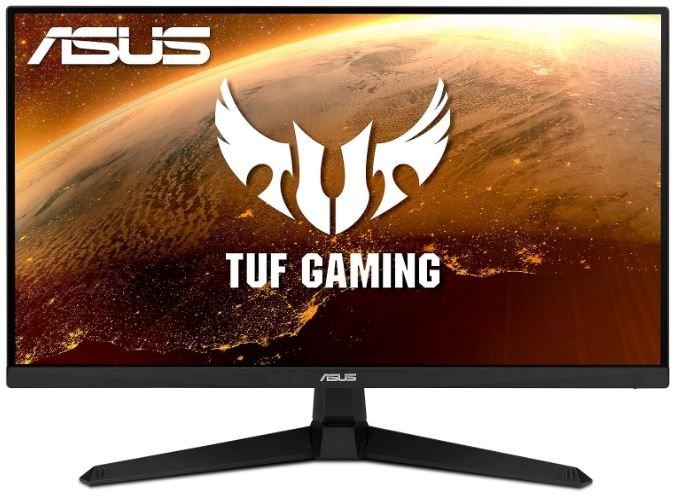
ASUS TUF Gaming VG277Q1A — Best Overall
Rating: 4.5/5
Product information
The VG277Q1A occupies the position most gaming monitor recommendations quietly converge toward: a genuinely excellent specification set without pushing into the price territory where diminishing returns start to dominate the value conversation. 165Hz refresh rate with a 1ms response time is a combination that handles fast-paced competitive titles — Valorant, CS2, Apex Legends — without the ghosting or perceived input lag that undermines slower panels.
Extreme Low Motion Blur (ELMB) is ASUS's proprietary backlight strobing technology, and it does something distinct from simply raising refresh rate: it reduces the persistence of each frame on screen, sharpening the perceived clarity of fast motion beyond what refresh rate and response time alone would achieve. The trade-off — as with all backlight strobing technologies — is a modest reduction in perceived brightness while ELMB is active, and it's generally not compatible simultaneously with adaptive sync (FreeSync/G-SYNC), requiring you to choose one or the other depending on the specific game and your priority between tear-free visuals and maximum motion clarity.
FreeSync Premium handles the tearing problem for AMD GPU users specifically (and functions with most NVIDIA GPUs via G-SYNC Compatible mode as well, though certification specifics vary by driver version) — eliminating the horizontal frame-seam artefact that otherwise appears during fast panning or high-frame-rate variance.
Shadow Boost and Eye Care technologies are the less-discussed but genuinely useful additions: Shadow Boost brightens dark areas of the image without blowing out already-bright regions, which matters specifically in games with dark environments where enemies can hide in shadow detail your monitor otherwise crushes to black. Eye Care reduces blue light emission for extended session comfort, addressing the genuine physical discomfort of long gaming sessions on a bright display.
Connectivity is comprehensive for the price tier: DisplayPort 1.2 plus dual HDMI covers PC and console connections simultaneously, letting you switch inputs rather than replug cables between gaming setups.
Pros
- 165Hz refresh rate with genuine 1ms response time — excellent for competitive FPS titles
- ELMB technology sharpens fast-motion clarity beyond standard refresh/response specs
- FreeSync Premium eliminates screen tearing for AMD and most NVIDIA GPU users
- Shadow Boost improves visibility in dark game environments without overexposing bright areas
- Comprehensive connectivity: DisplayPort + dual HDMI for multi-device setups
- Strong value relative to the specification set delivered
Cons
- Default volume set to 50% — requires manual adjustment on setup, a minor but repeated annoyance
- ELMB and adaptive sync are not simultaneously compatible — requires choosing per use case
- Price sits above entry-level monitors, though justified by the spec sheet
- 1080p resolution at 27" is sharp but not as crisp as the 1440p alternatives on this list
Our Verdict: The VG277Q1A earns "best overall" through balance — it doesn't compromise meaningfully on refresh rate, response time, or adaptive sync to hit its price point, and the ELMB technology gives it a genuine edge in fast-motion clarity that budget alternatives don't match. For competitive gaming at 1080p, this is difficult to fault.
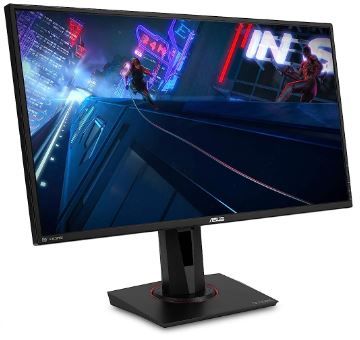
ASUS TUF Gaming VG27AQ — Best for Visual Fidelity
Rating: 4.3/5
Product information
The VG27AQ makes the case that 1440p at competitive refresh rates is the genuine sweet spot for players who want both visual quality and responsiveness rather than choosing one at the expense of the other. 2560×1440 resolution on a 27-inch panel delivers meaningfully sharper detail than 1080p at the same size — text renders more cleanly, distant enemies are easier to distinguish, and the overall image carries more perceived depth — without demanding the GPU horsepower that 4K requires to sustain high frame rates.
G-SYNC Compatible certification is significant here: NVIDIA specifically tests and certifies monitors for compatibility with G-SYNC technology when they don't include NVIDIA's proprietary G-SYNC hardware module, and the VG27AQ has passed that certification — meaning NVIDIA GPU users get genuine tear-free performance without paying the premium that dedicated G-SYNC hardware modules typically add to a monitor's price.
ELMB Sync — combining ASUS's motion blur reduction technology with adaptive sync simultaneously, rather than forcing a choice between them the way the standard ELMB implementation on the VG277Q1A does — is the meaningful technical upgrade this monitor carries. Both tear-free performance and reduced motion blur, at the same time, is a genuinely difficult engineering achievement that not every gaming monitor manages.
HDR10 compatibility extends the visual range further — brighter highlights, deeper shadow detail, and a wider colour range than standard dynamic range content, though it's worth noting that HDR performance on IPS panels without local dimming zones (which this monitor doesn't specify) is generally more modest than on premium mini-LED or OLED displays; treat HDR10 compatibility here as a nice-to-have enhancement rather than a transformative feature.
The ergonomic stand — full height, tilt, swivel, and pivot — is comprehensive enough to handle vertical monitor orientation for coding or document work alongside gaming, a genuinely useful flexibility that cheaper monitors with tilt-only stands don't offer.
Pros
- 1440p resolution on 27" IPS panel: meaningfully sharper than 1080p without demanding flagship GPU power
- G-SYNC Compatible certification: tear-free performance for NVIDIA users without proprietary hardware premium
- ELMB Sync: motion blur reduction and adaptive sync working simultaneously — a genuine technical achievement
- Full height/tilt/swivel/pivot ergonomic stand
- HDR10 compatible for enhanced colour and brightness range
- Robust on-screen display menu with extensive customisation
Cons
- Limited brightness range reported by some users in brightly lit rooms
- Other monitors at the same price point offer better-optimised overdrive and marginally faster response times
- Minor reported quirks: occasional flicker noted by some users (does not affect majority of units)
- HDR10 performance is modest without local dimming — don't expect OLED-level HDR impact
Our Verdict: The VG27AQ is the correct choice for players who want the resolution upgrade to 1440p without sacrificing the responsiveness that competitive gaming demands. The ELMB Sync technology specifically differentiates it — genuinely tear-free and motion-blur-reduced simultaneously — and the ergonomic stand adds daily-use flexibility beyond gaming.
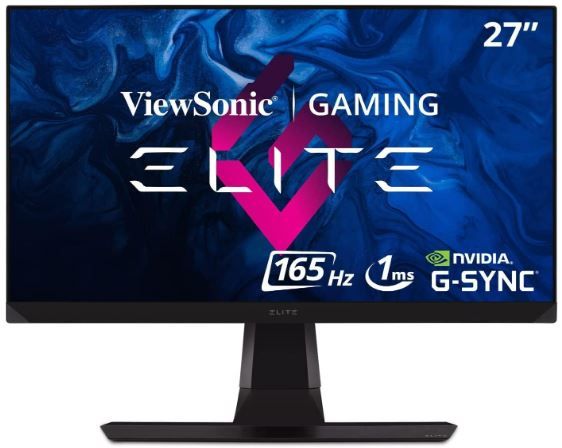
ViewSonic ELITE XG270QG — Best Premium Esports Pick
Rating: 4.3/5
Product information
The XG270QG represents the enthusiast tier on this list — a monitor built specifically for players who treat their gaming setup as a serious instrument rather than a casual convenience, and who want features most monitors don't bother including because the target audience is genuinely willing to pay for and use them.
IPS Nano Colour technology is the standout differentiator: a colour-enhancing layer that widens the achievable colour gamut beyond standard IPS panels, delivering 98% DCI-P3 coverage — a colour space typically associated with cinema and high-end content creation rather than gaming monitors — alongside genuine 10-bit colour depth. The practical result is visuals with meaningfully more colour nuance and gradation than the 8-bit, standard-gamut panels on the rest of this list, particularly noticeable in games with rich environmental lighting and colour design.
NVIDIA G-SYNC (the proprietary hardware-module version, not G-SYNC Compatible certification) provides the most robust tear-free experience available in consumer gaming monitors, with variable overdrive that adjusts pixel response dynamically based on refresh rate — a more sophisticated implementation than the fixed overdrive settings on cheaper monitors, which can introduce their own artefacts (overshoot, inverse ghosting) at certain refresh rates.
The physical extras — built-in mouse bungee, ELITE RGB ambient lighting, sight shields (side panels that block peripheral distraction, borrowed from professional esports setups), and a reinforced headphone hook — are the kind of details that signal ViewSonic designed this specifically around how serious competitive players actually set up their desks, rather than generic gaming monitor features applied without consideration of real usage patterns.
The three-sided ultra-thin bezel supports multi-monitor esports setups where seamless-feeling screen transitions matter, and broad device compatibility — laptops, PC, Mac, PlayStation, Xbox via HDMI, USB, and DisplayPort — makes it a genuinely versatile centrepiece regardless of platform.
Pros
- IPS Nano Colour: 98% DCI-P3 and 10-bit colour — meaningfully richer visuals than standard IPS panels
- Genuine NVIDIA G-SYNC hardware module: the most robust tear-free performance tier available
- Variable overdrive reduces artefacts across the full refresh rate range
- Thoughtful esports-oriented extras: mouse bungee, sight shields, reinforced headphone hook
- Broad platform compatibility: PC, Mac, console via HDMI/USB/DisplayPort
- Fully adjustable ergonomic stand for extended competitive sessions
Cons
- Premium pricing reflects the premium feature set — not a budget option
- G-SYNC hardware module requires NVIDIA GPU for full functionality
- 1440p resolution demands a capable GPU to sustain 165Hz consistently
- Some extras (sight shields, RGB) add cost that non-competitive players may not value
Our Verdict: The XG270QG is for players who've moved past "does it work well" and into "does it work exactly how a serious setup should." The IPS Nano Color panel and genuine G-SYNC module are the technical justification for the premium; the esports-specific physical extras are the signal that ViewSonic built this monitor around actual competitive usage patterns rather than generic gaming marketing.
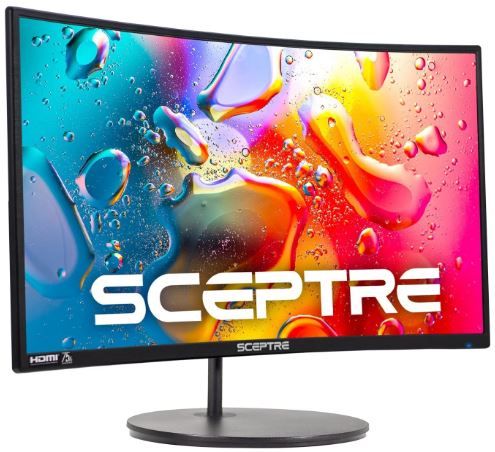
Sceptre C248W-1920RN — Best Immersive Curved Value
Rating: 4.1/5
Product information
The Sceptre takes a different approach to immersion than the refresh-rate-focused monitors elsewhere on this list — rather than chasing motion clarity through Hertz, it chases immersion through curvature. The 1800R curve radius (meaning the curve, if extended into a full circle, would form a circle with an 1800mm radius — tighter curves have smaller numbers and feel more pronounced) wraps the screen's edges subtly into your peripheral vision, extending the sense of the game world beyond the flat rectangle a standard monitor presents.
For genre fit, this matters more in some games than others. Narrative-driven, atmospheric, or open-world titles — where environmental immersion contributes meaningfully to the experience — benefit from the curve in ways that fast, precision-critical competitive shooters generally don't. The curve doesn't make you a better Valorant player. It does make an evening in a game like Baldur's Gate 3 or a story-driven RPG feel more enveloping.
The 98% sRGB colour coverage is genuinely strong for a monitor at this price tier — colours render vibrantly and accurately, which pairs well with the VA panel's characteristic deep black levels and high contrast ratio. VA panels trade some response time speed for superior contrast performance compared to IPS or TN alternatives, and the Sceptre's positioning as an immersion-focused rather than competitive-focused monitor plays to that panel type's strengths rather than fighting against its limitations.
The 75Hz refresh rate is the clear limitation for competitive use. It's smoother than a standard 60Hz display, but well below the 144Hz-plus territory that fast-paced esports titles benefit from. Built-in speakers are a genuine convenience for casual setups without dedicated audio equipment, though — as is true of virtually all built-in monitor speakers — audio quality is functional rather than impressive.
Pros
- 1800R curve provides genuine environmental immersion for narrative and open-world games
- 98% sRGB colour accuracy — strong for the price tier
- VA panel delivers deep blacks and high contrast, ideal for atmospheric games
- Built-in speakers and multiple connectivity options (2× HDMI, VGA)
- 30,000+ hour lamp life and VESA wall mount compatibility for longevity and flexible setup
Cons
- 75Hz refresh rate is limiting for competitive, fast-paced gaming
- No DisplayPort — restricts compatibility with some high-end graphics card configurations
- Curved design can introduce minor distortion at extreme edge viewing angles
- 1080p resolution — sharper alternatives exist at similar or slightly higher price points
Our Verdict: The Sceptre is for players prioritising atmosphere and environmental immersion over competitive edge — story-focused gaming, single-player RPGs, and general entertainment use where the curve genuinely enhances the experience. For esports or fast-paced shooters specifically, the 75Hz ceiling is a real constraint worth weighing against the immersive benefits.
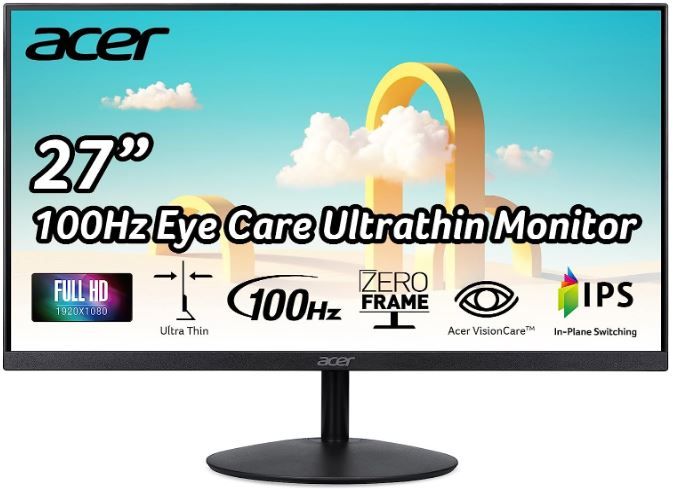
Acer SB272 EBI — Best General Use + Gaming Crossover
Rating: 4.0/5
Product information
The SB272 EBI is positioned deliberately as a hybrid — a monitor equally suited to office work, general home use, and casual-to-moderate gaming, rather than a dedicated competitive gaming display chasing the highest possible refresh rate. For users who split screen time between work, browsing, and gaming — which is, honestly, most people's actual usage pattern — this positioning makes practical sense over a monitor over-specced for gaming and under-considered for everything else.
The zero-frame design is a genuine aesthetic and functional advantage: an ultra-thin bezel that maximises usable screen area and minimises visual distraction, particularly valuable in multi-monitor setups where thick bezels between screens interrupt the sense of a continuous workspace. For gamers running a secondary monitor alongside a primary competitive display, this makes an excellent complementary screen.
100Hz refresh rate via HDMI, paired with a genuine 1ms VRB (Variable Refresh Blur reduction) response time, delivers noticeably smoother visuals than a standard 60Hz display without reaching into the premium refresh-rate territory that the ASUS options on this list occupy. For casual gaming, streaming, and general productivity, this is comfortably sufficient — the gap between 100Hz and 165Hz is real for competitive players but far less consequential for players gaming casually or split across work and entertainment use.
AMD FreeSync handles the tearing problem effectively for AMD GPU configurations, and Low Blue Light plus Flicker-less technology specifically target the eye strain that accumulates across long work-then-game sessions — a practical consideration for anyone whose "gaming monitor" is also their primary daily-use screen.
The limitations are honest ones: connectivity is limited to HDMI 1.4 and VGA — no DisplayPort, no USB-C — which restricts flexibility for users with newer high-end GPU configurations expecting DisplayPort as the primary connection. The tilt-only stand is a genuine ergonomic limitation compared to the fuller-adjustment stands on the ASUS monitors. And at 250 nits, brightness is modest — noticeably insufficient in a brightly lit room with significant window glare.
Pros
- Genuinely dual-purpose: excellent for office/general use and casual-to-moderate gaming
- Zero-frame design: maximises screen area, ideal for multi-monitor setups
- 100Hz + 1ms VRB delivers meaningfully smoother visuals than standard 60Hz displays
- AMD FreeSync eliminates tearing for compatible GPU configurations
- Low Blue Light and Flicker-less technology reduce eye strain across extended sessions
- Excellent value for the combined use case it targets
Cons
- Limited connectivity: HDMI 1.4 and VGA only, no DisplayPort or USB-C
- Tilt-only stand — no height, swivel, or pivot adjustment
- 250 nits brightness is modest, insufficient in brightly lit rooms
- 100Hz refresh rate is a step below the premium competitive tier for esports-focused players
Our Verdict: The SB272 EBI is the right monitor for someone whose PC serves double duty as a workstation and a gaming rig, rather than a dedicated esports setup. The zero-frame design and general versatility make it an excellent secondary monitor choice even for players who own a more specialised primary display.
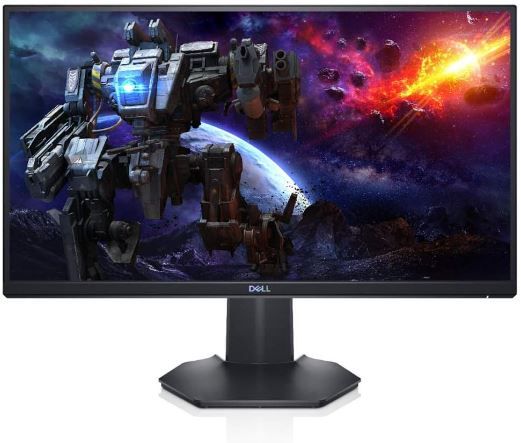
Dell Gaming Monitor S2421HGF — Best Fast Panel with Warranty Backing
Rating: 4.0/5
Product information
The S2421HGF is Dell's answer to a specific competitive-gaming price bracket, and it leans on TN panel technology deliberately rather than apologetically. TN panels get a reputation as the "budget compromise" panel type, and in terms of colour accuracy and viewing angles, that reputation is fair — but TN remains genuinely the fastest-responding panel technology available, and for players whose priority is pure reflex-speed competitive performance over colour richness, that trade-off is a reasonable one rather than a downgrade.
144Hz paired with a genuine 1ms response time delivers smooth, low-blur motion that competes directly with faster and more expensive IPS alternatives on raw responsiveness — TN panels have historically held a slight edge in achievable response time versus IPS at equivalent price points, and the S2421HGF is a solid demonstration of that characteristic. AMD FreeSync Premium handles tearing effectively, synchronising the display's refresh cycle with GPU output to eliminate the visible seam artefact during fast-paced action.
The rear cooling vents are a small but sensible design touch — sustained high refresh rate operation generates heat inside the display's internal electronics, and dedicated ventilation reduces the risk of thermal throttling or long-term component stress during extended gaming sessions. The three-sided narrow bezel gives a modestly more immersive framing than older thick-bezel designs, without reaching the "zero-frame" territory of the Acer above.
Where Dell differentiates itself most is support: a 3-year Advanced Exchange Service paired with Premium Panel Exchange is a genuinely strong warranty position relative to typical gaming monitor coverage, and it reflects confidence that's worth factoring into the purchase decision — a failed panel is a real risk with any display, and Dell's replacement policy meaningfully reduces the downside of that risk compared to standard one-year manufacturer warranties.
The honest limitations: colour accuracy and viewing angles are noticeably behind the IPS options on this list — off-angle colour shift is a real, visible characteristic of TN technology, more noticeable if multiple people view the screen from different positions. Some users report inconsistent colour balance out of the box, and stand adjustability is reported inconsistently across sources — the product description lists full height/swivel/tilt, while some user feedback describes a more limited tilt-only experience, so it's worth checking the current listing's exact stand specification before purchase.
Pros
- 144Hz + genuine 1ms response time — TN panel speed advantage fully realised
- AMD FreeSync Premium eliminates screen tearing effectively
- 3-year Advanced Exchange Service + Premium Panel Exchange — exceptional warranty backing
- Rear cooling vents help manage heat during extended high-refresh sessions
- Three-sided narrow bezel for a cleaner visual frame
- Strong value for players prioritising raw speed over colour fidelity
Cons
- TN panel: noticeably weaker colour accuracy and viewing angles than IPS or VA alternatives
- Some users report colour balance inconsistencies out of the box
- Stand adjustability reported inconsistently — confirm swivel/height availability before buying
- Off-angle colour shift is a real limitation for multi-person viewing or wide desk setups
Our Verdict: The S2421HGF is the pick for players who want genuine 144Hz/1ms competitive performance and value Dell's exceptional warranty backing more than they value IPS-level colour accuracy. For solo, straight-on competitive play where speed is the priority, it's a strong, well-supported option — just don't expect the visual richness of the IPS monitors elsewhere on this list.
FAQs: Gaming Monitor
What's better for gaming, a curved or a flat screen?
When it comes to gaming, the type of monitor you use can significantly impact your experience. The ongoing debate between curved and flat-screen monitors for gaming continues to divide enthusiasts and professionals. However, the choice between the two often boils down to personal preference and specific gaming needs.
Curved monitors have gained popularity in the gaming community primarily due to the immersive experience they offer. Their design mimics the natural curvature of the human eye, covering more of your peripheral vision and drawing you deeper into the game. This feature is particularly beneficial in games with expansive landscapes or open-world environments. Additionally, curved monitors tend to provide better color consistency as every pixel is ideally angled toward your eyes.
On the other hand, flat monitors have their own set of advantages that make them a viable choice for gaming. They typically boast faster refresh rates and response times, crucial for competitive gaming where every millisecond counts. Furthermore, they offer consistent color fidelity across the entire screen, providing a uniform visual experience regardless of where you sit.
However, both types of monitors come with some drawbacks. Curved monitors, despite their immersive viewing experience, may cause distortion when viewed from different angles. They also tend to be bulkier, taking up more space on your desk. Flat monitors, while offering high performance, lack the level of immersion that curved screens provide.
In terms of cost, curved monitors were initially more expensive, but there's been a shift in recent years. Nowadays, you can find budget-friendly curved gaming monitors that are more affordable than their flat-panel counterparts. Therefore, the decision between a curved and flat monitor should take into account not only your gaming preferences but also your budget.
In conclusion, both curved and flat monitors have their pros and cons when it comes to gaming. A curved monitor offers a more immersive experience, making games feel more realistic, while a flat monitor excels in performance, providing fast refresh rates and response times. Ultimately, the choice depends on what aspects of gaming are most important to you.
Why is a 27-inch monitor most preferred for gaming?
Gaming has evolved significantly over the years, and so has the technology that supports it. One key component that can make or break your gaming experience is the monitor you use. Among the various sizes available in the market, the 27-inch monitor has emerged as the most preferred choice for gaming. But what makes it stand out? Let's delve into the reasons behind its popularity.
The first thing to note about a 27-inch monitor is its size. It strikes a perfect balance between providing ample screen real estate and maintaining a compact form factor. This size allows for an immersive gaming experience without overwhelming your desk space. It also ensures that details are displayed at a scale that enhances the visual impact of games.
Resolution is another critical factor. A 27-inch monitor often comes with a 1080p resolution, which is considered optimal by many gamers. When you sit about 3.4 feet away, which is the typical viewing distance for desktop gaming, a 1080p resolution on a 27-inch monitor provides crisp and clear visuals.
The preference for a 27-inch monitor also stems from the fact that it minimizes head and eye movement during gameplay. With a larger monitor, you might need to move your eyes or even your head more frequently to view different areas of the screen. A 27-inch monitor allows you to take in the entire screen at a glance, which can give you a slight edge in competitive gaming.
However, it's not just about the advantages that a 27-inch monitor offers in-game. These monitors also cater to the practical aspects of real-world usage. They are large enough for multitasking and other non-gaming applications, making them a versatile choice for users who want a monitor that can do it all.
When it comes to multi-monitor setups, 27-inch monitors are again a popular choice. Their relatively compact size makes it easier to fit two or more monitors on a typical desk. Plus, the thin bezels found on many 27-inch monitors enhance the continuity between screens, making for a more seamless multi-monitor experience.
Lastly, the wide range of connectivity options that 27-inch monitors offer adds to their appeal. Most models come with multiple HDMI, USB, and DisplayPort inputs, allowing you to connect various devices, including gaming consoles, PCs, and laptops.
In conclusion, a 27-inch monitor is a preferred choice for gaming due to its optimal size, resolution, and practical benefits. It offers an immersive gaming experience, minimizes physical strain, and caters to various non-gaming needs, making it a versatile addition to any gaming setup.
What refresh rate do I actually need for gaming?
144Hz is the widely accepted sweet spot for most gamers — a substantial, clearly perceptible improvement over 60Hz without requiring the most demanding GPU pairing. 165Hz and above offer marginal further improvement, more relevant to competitive esports players seeking every possible edge. Casual and narrative-focused gaming is well served by 100-75Hz, where the smoothness gain over 60Hz is still noticeable without needing premium hardware.
Is 1440p or 1080p better for gaming in 2026?
1440p offers a meaningfully sharper image at 27-inch screen sizes and has become the practical sweet spot for players with a mid-range-or-better GPU. 1080p remains entirely valid — particularly for players prioritising the highest possible refresh rates on a budget GPU, since 1080p is far less demanding to drive at 165Hz-240Hz than 1440p or 4K.
Do I need G-SYNC or FreeSync if I don't play competitively?
Adaptive sync eliminates screen tearing regardless of genre or skill level — it's a quality-of-life improvement for any gaming, not just competitive play. If your GPU and monitor support matching adaptive sync technology, there's no meaningful downside to using it, and the visual improvement (no tearing during fast pans) is noticeable even in casual single-player gaming.
What's the difference between IPS, VA, and TN panels?
TN: fastest response times, least accurate colours, narrowest viewing angles — historically favoured by the most competitive players prioritising pure speed. IPS: strong colour accuracy and wide viewing angles with competitive response times in modern panels — the most versatile all-round choice. VA: deepest blacks and highest contrast, but historically slower response times — best suited to atmospheric, narrative-driven games over twitch-reflex competitive titles.
Can I use a TV instead of a monitor for gaming?
Yes, particularly for couch-distance gaming with a console, but it's a trade-off. TVs typically have higher input lag due to additional image processing, lower pixel density at desk viewing distances, and are optimised for larger-room viewing rather than close-range precision. For desk-based PC gaming specifically, a dedicated gaming monitor remains the better-suited choice.
Why does monitor warranty coverage matter?
Display panels can develop dead pixels, backlight bleed, or other defects that aren't always apparent immediately. Standard manufacturer warranties are typically one year and often exclude panel-specific issues under certain thresholds. Extended and premium exchange programs — like Dell's on the S2421HGF — provide meaningfully better protection against these risks, which is worth factoring into total cost of ownership, not just upfront price.
You may be interested in checking these other reviews!
 Neil Fajardo
 Save With Reviews
 Save With Reviews