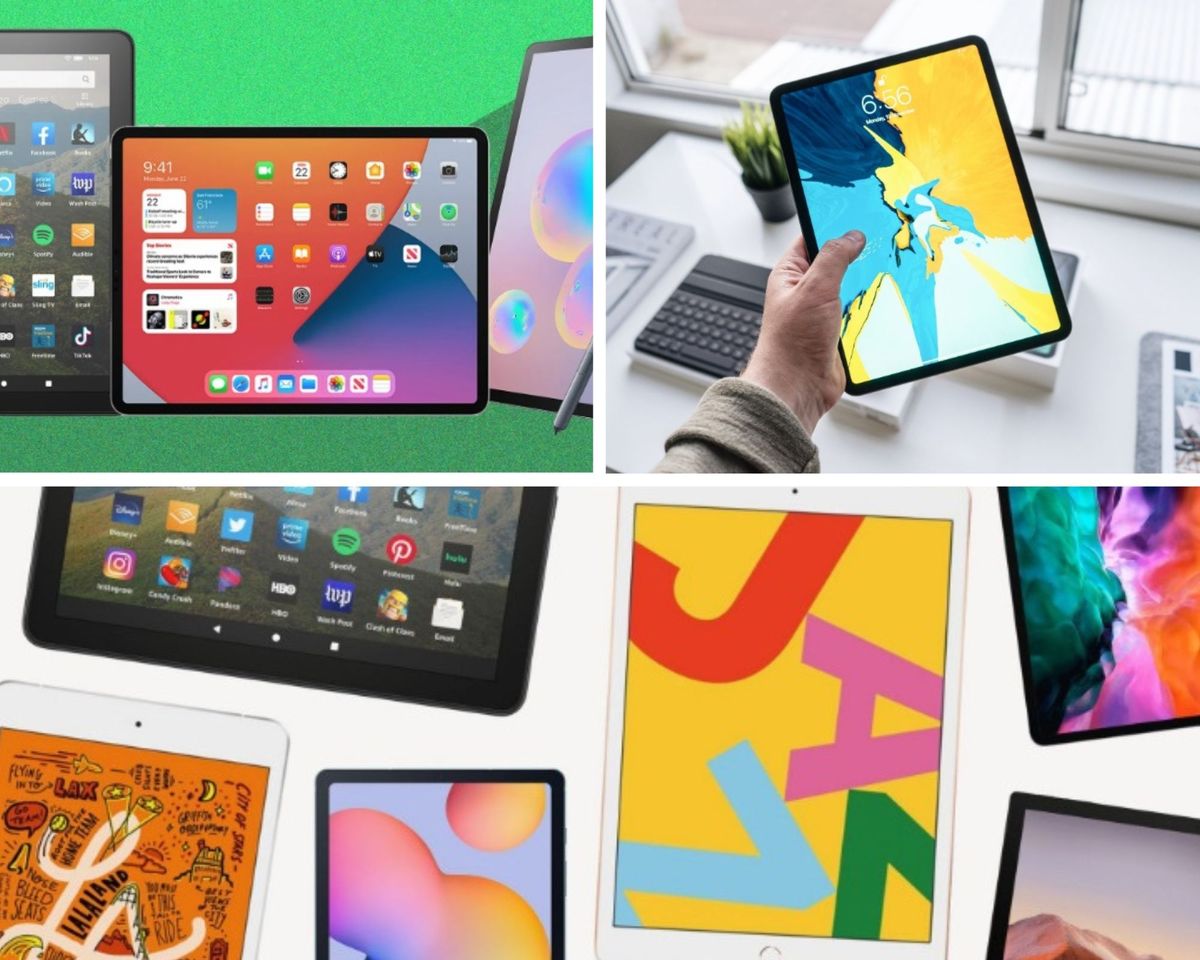
The best tablet overall in 2026 is the Apple iPad Pro (M5, 8th Gen) — M5 chip, OLED Ultra Retina XDR display, Wi-Fi 7, starting at $999. Best Android flagship: Samsung Galaxy Tab S10 FE+ (13.1" display, Exynos 1580, S Pen included, IP68-rated, from $549.99). Best everyday iPad: Apple iPad (11th Gen, A16) (11" Liquid Retina, from $429, up to 512GB). Best budget Android with a big screen: Samsung Galaxy Tab A11+ (11" 90Hz display, 7,040mAh battery, from $299.99). Best ultra-budget pick: Amazon Fire HD 10 (10.1" Full HD, 13-hour battery, from $99.99).
A fair number of "best tablet" articles floating around the internet right now are, quietly, embarrassingly out of date — recommending devices that were genuinely excellent in 2022 but have since been superseded by two or three full hardware generations. We caught ourselves doing exactly that. So we went back, checked what's actually shipping and actually selling on Amazon right now, in mid-2026, and rebuilt this list from current data rather than recycled specs.
The tablet market has moved in a specific, interesting direction over the past few years: the top end has gotten genuinely more capable (Apple's M5 chip in the current iPad Pro is a legitimately different performance class than the M1-era iPads most "best of" lists still reference), while the budget end has gotten weirdly stagnant — Amazon's Fire HD 10, for instance, received essentially one meaningful spec bump (an extra gigabyte of RAM) across what's functionally still a 2023-era design. Knowing which category you're actually shopping in — and which products have genuinely moved forward versus which ones are coasting on an old reputation — matters more this year than it has in a while.
This list covers five tablets spanning the full spectrum: a genuine flagship, a strong Android alternative, a mainstream everyday choice, a large-screen budget Android option, and the true entry-level pick. All five are current, actively sold devices as of this rewrite — not legacy models still lingering in outdated buying guides.
What's Actually Changed Since 2022
Apple's chip naming has shifted, and the performance gap has widened. The M1 chip that powered the iPad Pro and Air in 2022 has been succeeded by M2, M4, and now M5 — each generation bringing meaningful AI and graphics performance gains, not just incremental bumps. Apple specifically cites the new M5 chip as delivering up to 3.5x faster AI performance than the M4 and up to 5.6x faster than the original M1 — a genuinely different performance tier than most 2022-era buying guides are still describing.
OLED displays have arrived at the premium tier. The current iPad Pro uses an OLED Ultra Retina XDR display — a meaningful step up from the mini-LED and standard LCD panels that dominated premium tablets in 2022, offering deeper blacks and better contrast without the backlight bleed that LCD technology is prone to.
Samsung has restructured its lineup around the "FE" (Fan Edition) branding for the mid-tier. The Galaxy Tab S10 FE and FE+ occupy the position the Tab S7 and S8 series held in 2022 — strong Android flagships with S Pen included, at a meaningfully more accessible price than Apple's equivalent tier.
Budget tablets have genuinely stagnated. This is worth being honest about: Amazon's Fire HD 10 has barely changed since 2023, and Samsung's entry-level Galaxy Tab A-series is where most of the meaningful budget innovation (90Hz refresh rates, larger batteries, 5G options) has actually happened instead.
At a Glance — 2026 Comparison Table
| # | Product | Chip/Processor | Display | Starting Price | Best For | Rating | Price |
|---|---|---|---|---|---|---|---|
| 1 | Apple iPad Pro (M5, 8th Gen) Best Overall |
Apple M5 | 11"/13" OLED Ultra Retina XDR | $999 | Creative pros, power users | ★★★★½ 4.7/5 |
View on Amazon → |
| 2 | Samsung Galaxy Tab S10 FE+ Best Android Flagship |
Exynos 1580 | 13.1" LCD, 90Hz | $549.99 | Android alternative to iPad Pro | ★★★★¼ 4.3/5 |
View on Amazon → |
| 3 | Apple iPad (11th Gen, A16) Best Everyday Pick |
Apple A16 | 11" Liquid Retina | $429 | Mainstream daily use | ★★★★¼ 4.4/5 |
View on Amazon → |
| 4 | Samsung Galaxy Tab A11+ Budget Big-Screen |
Unspecified chipset | 11" LCD, 90Hz | $299.99 | Family use, casual streaming | ★★★★ 4.1/5 |
View on Amazon → |
| 5 | Amazon Fire HD 10 Ultra-Budget Pick |
Octa-core (MediaTek) | 10.1" Full HD IPS | $99.99 | Amazon ecosystem, lowest price | ★★★★ 3.9/5 |
View on Amazon → |
What Actually Separates a Good Tablet From a Great One
Processing power determines whether a tablet handles serious multitasking or just basic browsing. Apple's M-series chips (M1 in the iPad Air, M2 in the iPad Pro) bring genuine laptop-grade performance to a tablet form factor — a meaningful leap over the A-series chips (A15 Bionic in the iPad Mini) that still perform excellently for most tasks but don't match the M-series ceiling for heavier workloads like video editing or complex multitasking.
Display quality varies more than most buyers expect. AMOLED panels (Samsung's Galaxy Tab S8+ and several others) deliver deeper blacks and more vibrant color than TFT LCD panels (used in some Galaxy Tab variants), which matters significantly for movie watching, gaming, and photo/video editing. Apple's Liquid Retina and Liquid Retina XDR displays bring their own advanced technologies — ProMotion (adaptive refresh rate), True Tone (ambient light color adjustment), and P3 wide color gamut — that collectively produce a noticeably more polished visual experience than standard LCD panels.
Stylus support has become a genuine productivity differentiator, not just a creative add-on. Apple Pencil (2nd generation) support on the iPad Pro, Air, and Mini enables Scribble (handwriting-to-text conversion in any text field) alongside drawing and note-taking. Samsung's S Pen, included in the box with most Galaxy Tab models (unlike Apple Pencil, sold separately), offers similarly responsive input with latency figures as low as 9ms on the Galaxy Tab S7.
The laptop-replacement question deserves honest treatment. Samsung DeX mode and Microsoft's full Windows 11 environment on the Surface Pro 7+ represent two genuinely different approaches to this: DeX transforms the Android tablet interface into something PC-like without actually running desktop software, while the Surface Pro 7+ runs full Windows 11 natively — meaning actual desktop application compatibility, not just a desktop-styled interface layered over mobile apps.
Tablets vs. Laptops vs. Smartphones: Quick Positioning
Tablets sit deliberately between phones and laptops: lighter and more portable than a laptop, with a significantly larger screen and longer typical battery life than a smartphone, but generally less powerful for heavy-duty tasks like serious video editing, programming, or demanding multitasking than a full laptop.
Smartphones win on pure portability and phone functionality, but their small screens genuinely limit tasks like document editing, extended reading, or media consumption compared to a tablet's larger canvas.
Laptops remain the right tool for genuinely demanding computing tasks, but sacrifice the portability, touchscreen-first interaction, and typically longer battery life that make tablets appealing for everyday use, travel, and casual productivity.
Android vs. Apple Tablets: The Honest Trade-Off
Apple (iPadOS) delivers a smooth, tightly integrated software experience, seamless syncing across Apple devices, and generally the strongest app ecosystem quality control (fewer low-quality or malicious apps compared to more open app stores). The trade-off: premium pricing, and a closed ecosystem that doesn't easily accommodate installing apps or content from outside Apple's official channels.Android (Samsung, in this roundup) offers greater affordability at comparable performance tiers, genuine hardware customization options (expandable storage via microSD, for instance), and a more open ecosystem for app installation. The trade-off: the Google Play Store's app quality control is generally less stringent than Apple's App Store, requiring more buyer discernment, and cross-device syncing, while improved significantly in recent years, still doesn't match Apple's ecosystem-level integration for users fully invested in Apple hardware.
Final Thoughts
The right tablet, more than almost any other tech purchase, depends entirely on being honest with yourself about what you'll actually use it for — not what sounds impressive on a spec sheet, but the actual daily reality of how the device will fit into your specific work and life.
The iPad Pro is the correct choice if you're doing genuinely demanding creative or professional work and want the best available tools for it. The iPad Air captures most of that capability at a meaningfully better price for everyone else. The Galaxy Tab S8+ is the strongest Android alternative, with genuine productivity chops via DeX mode. The iPad Mini solves portability in a way nothing else on this list attempts. And the Surface Pro 7+ is the only device here that's genuinely a laptop first, tablet second — the right tool specifically if your work depends on actual Windows software.
None of these will make you more productive by themselves. What the right one does is stop being the bottleneck — letting the actual work, or the actual relaxation, happen without the device getting in its own way.
Can we help? We've done the research for you and found the Best Tablet on Amazon.
Every day, we read hundreds of reviews and try the highest-rated products we have on our list.
Best Tablet - Reviews
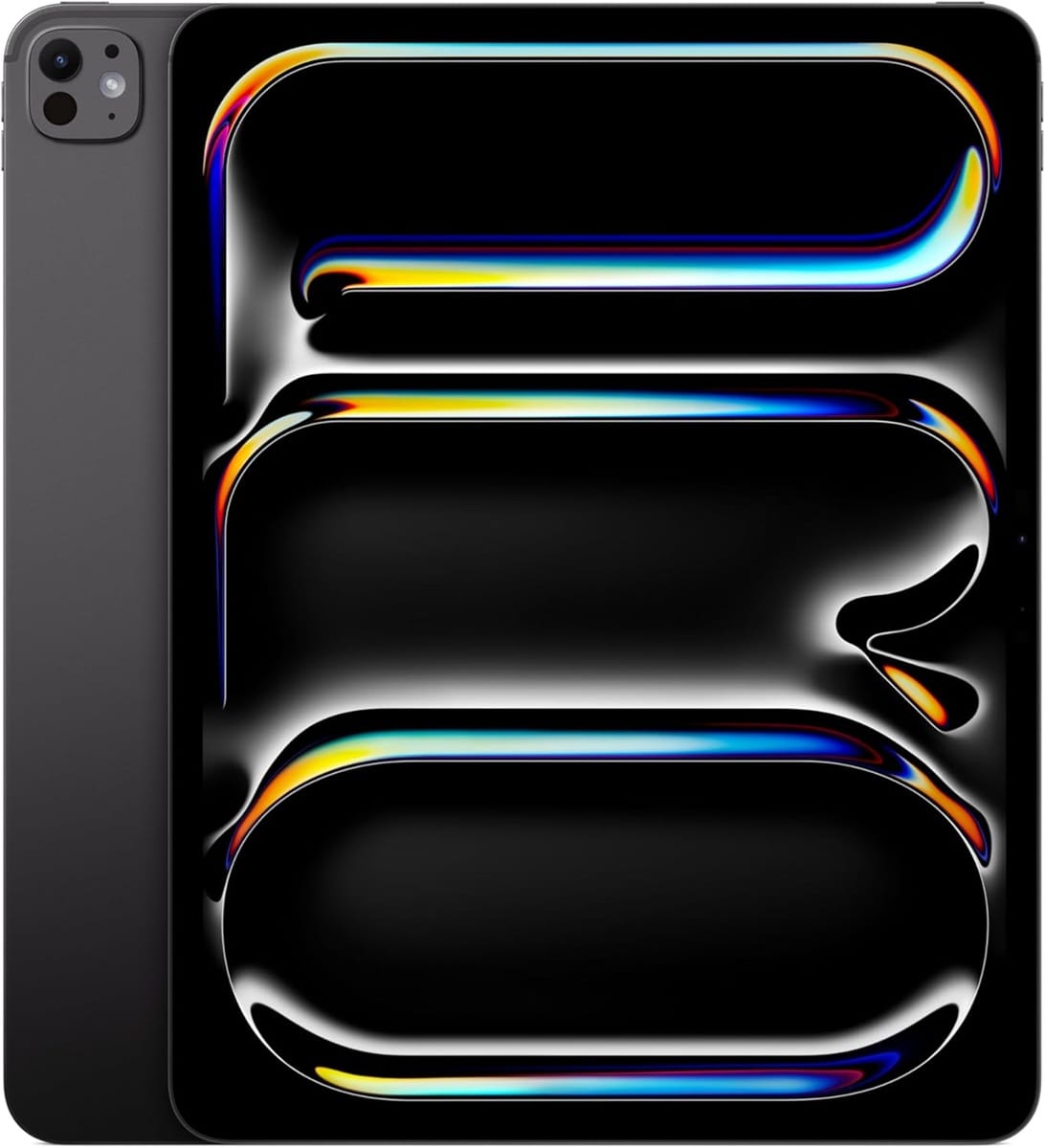
Apple iPad Pro (M5, 8th Generation) — Best Overall
Rating: 4.7/5
Product information
The current iPad Pro, released in October 2025 and still the clear top of the market as of this update, represents a genuinely different tier of performance than the M1-era iPad Pro most older buying guides still reference. Apple specifically claims up to 3.5x faster AI performance over the M4 generation and 5.6x over the original M1 — a jump that matters directly for on-device Apple Intelligence features, real-time photo/video processing, and increasingly AI-integrated creative apps.
The switch to a genuine OLED panel for the Ultra Retina XDR display is the standout hardware change since the mini-LED displays used in 2022-era Pro models. OLED's per-pixel light control delivers deeper blacks and eliminates the blooming/haloing artifacts that mini-LED backlighting could produce around bright objects on dark backgrounds — a meaningful upgrade for HDR video editing and color-critical creative work specifically.
Wi-Fi 7 and the addition of Apple's own C1X and N1 chips improve cellular and wireless connectivity meaningfully over the previous generation's Wi-Fi 6E, and the 10-core GPU brings genuine ray tracing capability to a tablet for the first time — relevant for increasingly graphics-intensive mobile and cross-platform gaming. Storage configurations up to 2TB, paired with 16GB RAM on the higher-capacity models, accommodate genuinely demanding professional workflows without compromise.
iPadOS 26's redesigned windowing system continues Apple's push toward genuine desktop-style multitasking, and accessories — Apple Pencil Pro and Magic Keyboard, both sold separately — remain central to unlocking the device's full productivity potential.
The honest trade-off remains price: this is, by a significant margin, the most expensive tablet on this list, and the accessories that complete its productivity case add substantially to the total cost.
Pros
- M5 chip delivers a genuine generational leap in AI and graphics performance
- OLED Ultra Retina XDR display eliminates mini-LED blooming, delivers true blacks
- Wi-Fi 7 and new C1X/N1 chips improve connectivity meaningfully over prior generation
- Ray tracing-capable GPU supports increasingly demanding mobile gaming and creative apps
- Storage up to 2TB with 16GB RAM on higher configurations
Cons
- Highest price on this list by a significant margin, starting at $999
- Apple Pencil Pro and Magic Keyboard sold separately, adding meaningfully to total cost
- Genuine overkill for buyers who only need browsing, streaming, and light productivity
Our Verdict: The current iPad Pro is the correct top pick for creative professionals and power users specifically — the M5 chip and OLED display represent real, measurable generational progress rather than an incremental refresh. For lighter use cases, the other tablets on this list deliver excellent value without this price tag.
Samsung Galaxy Tab S10 FE+ — Best Android Flagship Alternative
Rating: 4.3/5
Product information
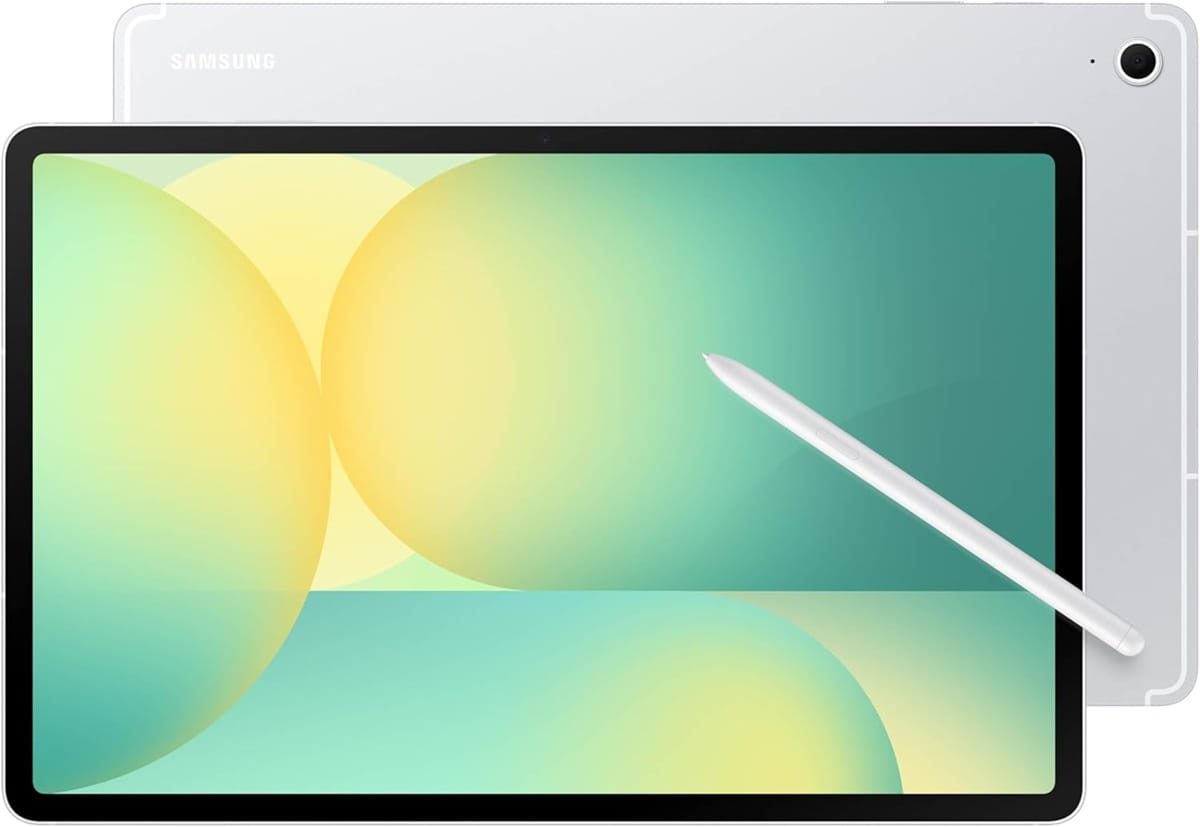
The Galaxy Tab S10 FE+ occupies the position Samsung's S7/S8-series tablets held in 2022 — a genuine flagship-tier Android experience at a meaningfully lower price than Apple's equivalent, now rebranded under Samsung's "Fan Edition" naming for this generation.
The 13.1-inch display at a 90Hz adaptive refresh rate delivers noticeably smoother scrolling and animation than the 60Hz standard still common on budget tablets, and the large screen size specifically suits productivity work, split-screen multitasking, and media consumption. The included S Pen — a genuine cost advantage over Apple's separately sold Pencil accessory — now includes handwriting assist and math-solving capabilities, extending its usefulness for students and note-takers specifically.
IP68 water and dust resistance is a genuinely meaningful durability feature rarely found on tablets at this price point, and the 10,090mAh battery delivers reported battery life in the range of 7-8 hours of active use, with 45W fast charging minimizing downtime. Expandable storage up to 2TB via microSD gives genuine long-term flexibility that fixed-storage devices like the iPad lack entirely.
The honest trade-off: the display remains LCD rather than AMOLED at this tier, meaning color and contrast don't match the OLED panels on Samsung's absolute flagship tablets or Apple's current iPad Pro. Reported battery life in independent testing runs somewhat shorter than Samsung's own marketing claims suggest.
Pros
- Large 13.1" display at 90Hz — smooth, spacious, well-suited to productivity
- S Pen included in the box, with handwriting assist and math-solving features
- IP68 water and dust resistance — genuinely rare durability at this price point
- Expandable storage up to 2TB via microSD
- 45W fast charging minimizes downtime
Cons
- LCD, not AMOLED — color and contrast trail Samsung's true flagship tablets
- Independent battery testing reports shorter real-world life than marketing claims
- Exynos 1580 chipset trails Apple's M-series in raw performance benchmarks
Our Verdict: The Galaxy Tab S10 FE+ is the strongest Android alternative to Apple's tablets in 2026 — a large, durable, genuinely productivity-capable device with an included stylus, at a price that undercuts the iPad Pro substantially. For Android-committed buyers or anyone wanting flagship-adjacent features without flagship pricing, this is the top choice.
Apple iPad (11th Generation, A16) — Best Everyday Mainstream Choice
Rating: 4.4/5
Product information
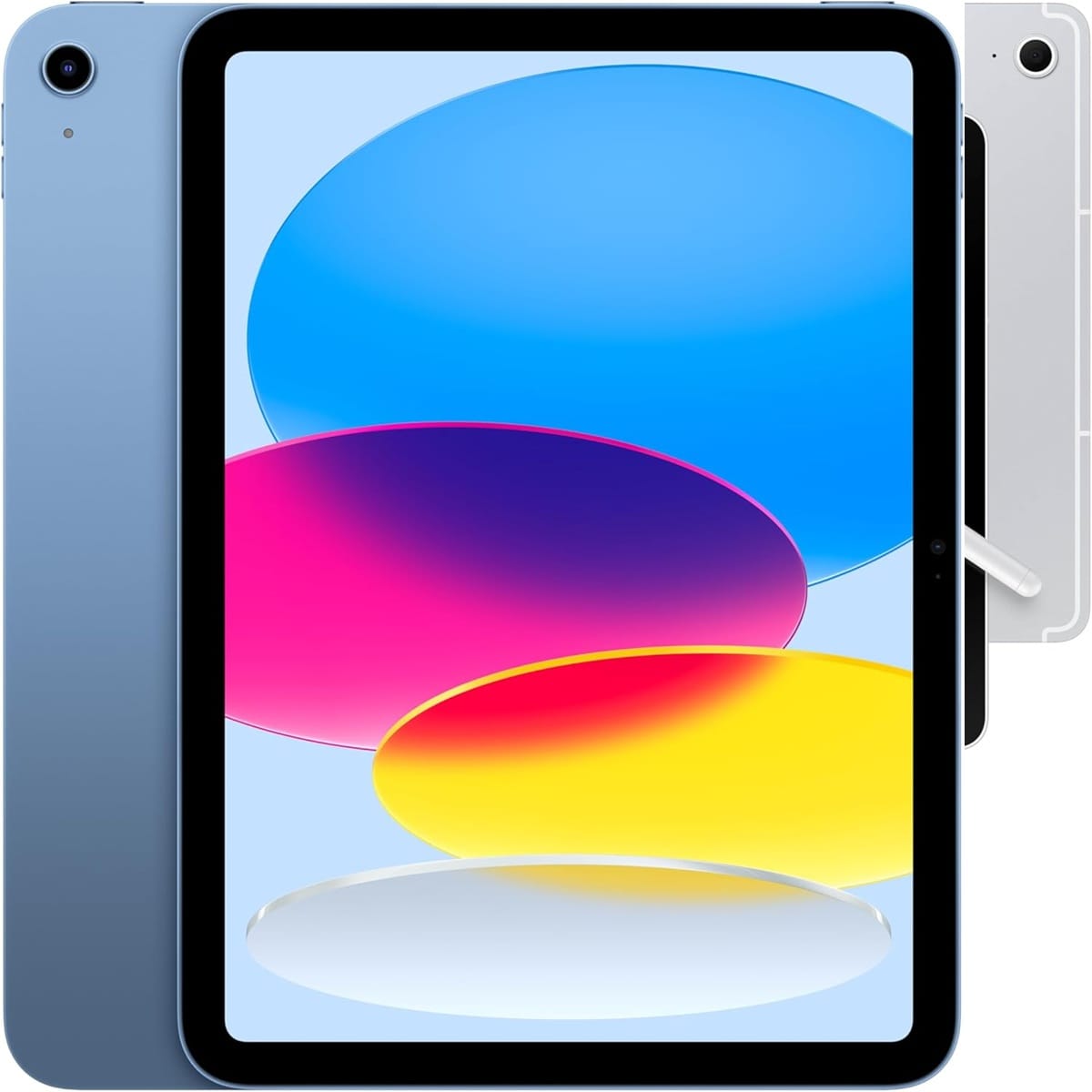
The standard iPad line has quietly become one of the strongest value propositions in Apple's entire tablet lineup, and the current 11th-generation model (released March 2025, still the current standard iPad as of mid-2026) continues that trend with the A16 chip — a genuine performance upgrade over the previous generation's aging chip, bringing the entry-level iPad's real-world speed noticeably closer to the pricier Air and Pro models for everyday tasks.
The 11-inch Liquid Retina display at 2360×1640 resolution delivers sharp, accurate color reproduction well-suited to browsing, streaming, reading, and general productivity — not matching the Pro's XDR brightness ceiling or the Air's larger panel, but genuinely excellent for the price. Storage options now scale up to 512GB, a meaningful increase in ceiling from previous generations, accommodating larger media libraries and app collections than budget buyers previously had access to at this price tier.
Apple Pencil (1st generation, per current specs) and Magic Keyboard Folio compatibility mean the standard iPad retains genuine productivity and creative capability, even if it doesn't support the more advanced Pencil Pro that the Pro and Air models use. iPadOS 26 brings the same core software experience and multitasking improvements across the entire current iPad lineup, meaning software capability gaps between the standard iPad and pricier models are smaller than the price gap suggests.
The honest limitations: 6GB RAM is comfortable but not generous, and the A16 chip, while a genuine step up from its predecessor, doesn't approach the M-series performance ceiling of the Air or Pro for genuinely demanding creative or multitasking work.
Pros
- A16 chip brings meaningfully closer performance to pricier iPad models for everyday tasks
- Storage now scales up to 512GB — a genuine ceiling increase over previous generations
- Sharp, accurate 11" Liquid Retina display well-suited to most everyday use cases
- Apple Pencil and Magic Keyboard Folio compatibility retains real productivity capability
- Strong value relative to the broader Apple ecosystem and iPadOS software experience
Cons
- 6GB RAM is adequate but not generous for heavier multitasking
- A16 chip doesn't approach the M-series performance ceiling of the Air or Pro
- Uses older Apple Pencil (1st gen) rather than the more advanced Pencil Pro
Our Verdict: The standard iPad remains the smartest mainstream entry point into Apple's ecosystem — genuinely capable everyday performance, a real storage ceiling increase, and full iPadOS 26 software support, all at a price meaningfully below the Air or Pro. For most buyers who don't have a specific reason to need M-series performance, this is the sensible default.
Samsung Galaxy Tab A11+ — Best Budget Big-Screen Android
Rating: 4.1/5
Product information
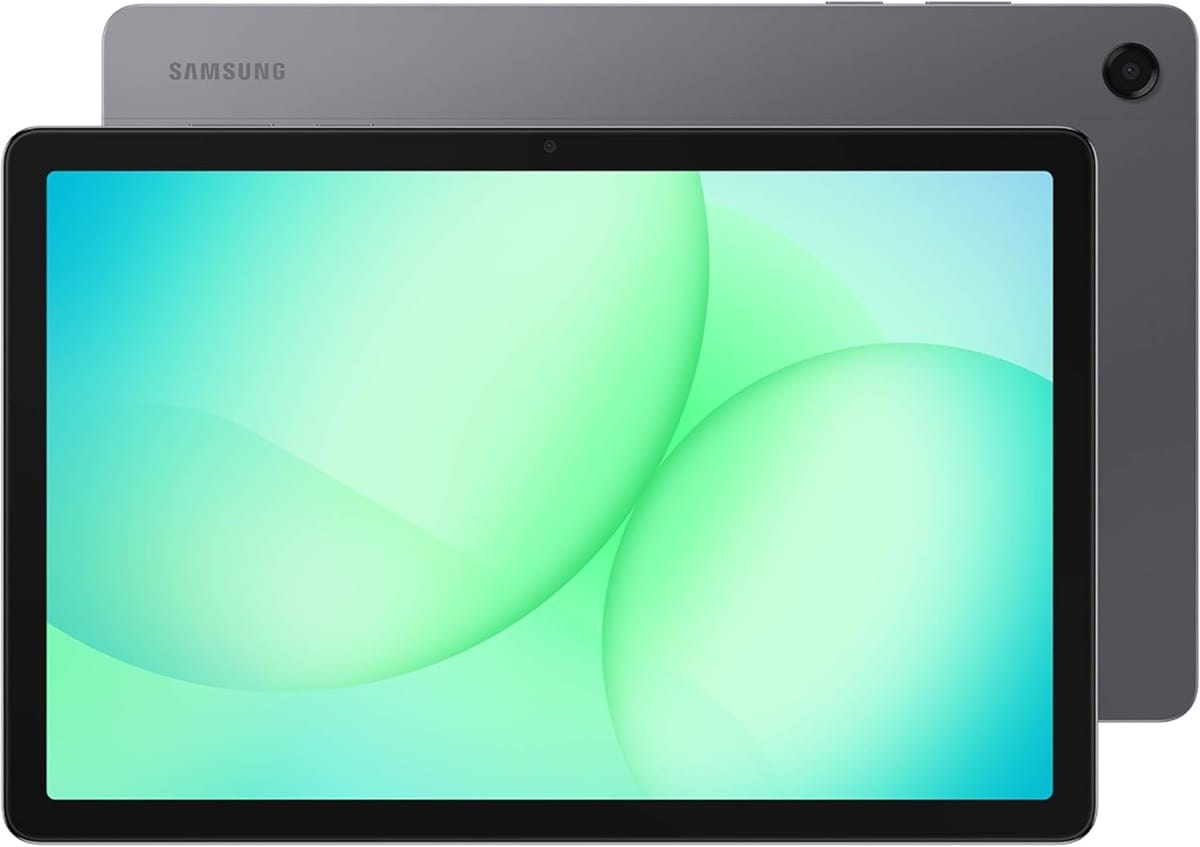
The Galaxy Tab A11+ has become the genuinely interesting budget story in the 2026 tablet market — Samsung has pushed more capability meaningfully down into its entry-level A-series than the equivalent tier offered in 2022, closing much of the gap with pricier tablets for buyers who don't need flagship performance.
A 90Hz adaptive refresh rate on an 11-inch display is a genuinely notable inclusion at this price point — smoother scrolling and animation than the 60Hz standard typical of budget tablets, including Amazon's Fire HD 10 on this list. The 7,040mAh battery, delivering up to 15 hours of video playback per Samsung's specifications, is a genuinely strong figure that exceeds many pricier tablets' battery life claims. Quad speakers with Dolby Atmos support deliver notably richer audio than the dual-speaker setups common at this price tier.
Expandable storage up to 2TB via microSD, combined with RAM options up to 8GB, gives genuine flexibility for buyers who want to start with a lower storage configuration and expand later — a meaningful advantage over Apple's fixed-storage approach. 5G connectivity availability extends usability for buyers who want cellular data access without committing to a full flagship-tier device, and reported seven years of software support commitment (per some retail listings) is a genuinely strong longevity signal for a budget-tier device.
The honest limitations: the unspecified chipset (branded generically rather than with a well-known flagship processor name) suggests performance suited to everyday tasks — streaming, browsing, light gaming — rather than demanding multitasking or graphics-intensive work. This is explicitly a family/casual-use device rather than a productivity powerhouse.
Pros
- 90Hz display refresh rate — genuinely rare at this price point
- 7,040mAh battery delivers up to 15 hours of video playback
- Quad speakers with Dolby Atmos exceed typical budget tablet audio quality
- Expandable storage up to 2TB via microSD gives long-term flexibility
- Reported extended software support commitment adds to long-term value
Cons
- Chipset performance suited to everyday tasks, not demanding multitasking or gaming
- LCD, not AMOLED — color and contrast trail premium alternatives
- Best positioned as a family/casual device rather than a productivity tool
Our Verdict: The Galaxy Tab A11+ is the strongest large-screen budget Android tablet on this list, delivering features (90Hz display, genuinely large battery, quad speakers) that would have been flagship-exclusive in 2022, now available at a genuinely accessible price. For family use, casual streaming, and everyday browsing, this is excellent value.
Amazon Fire HD 10 — Best Ultra-Budget Pick
Rating: 3.9/5
Product information
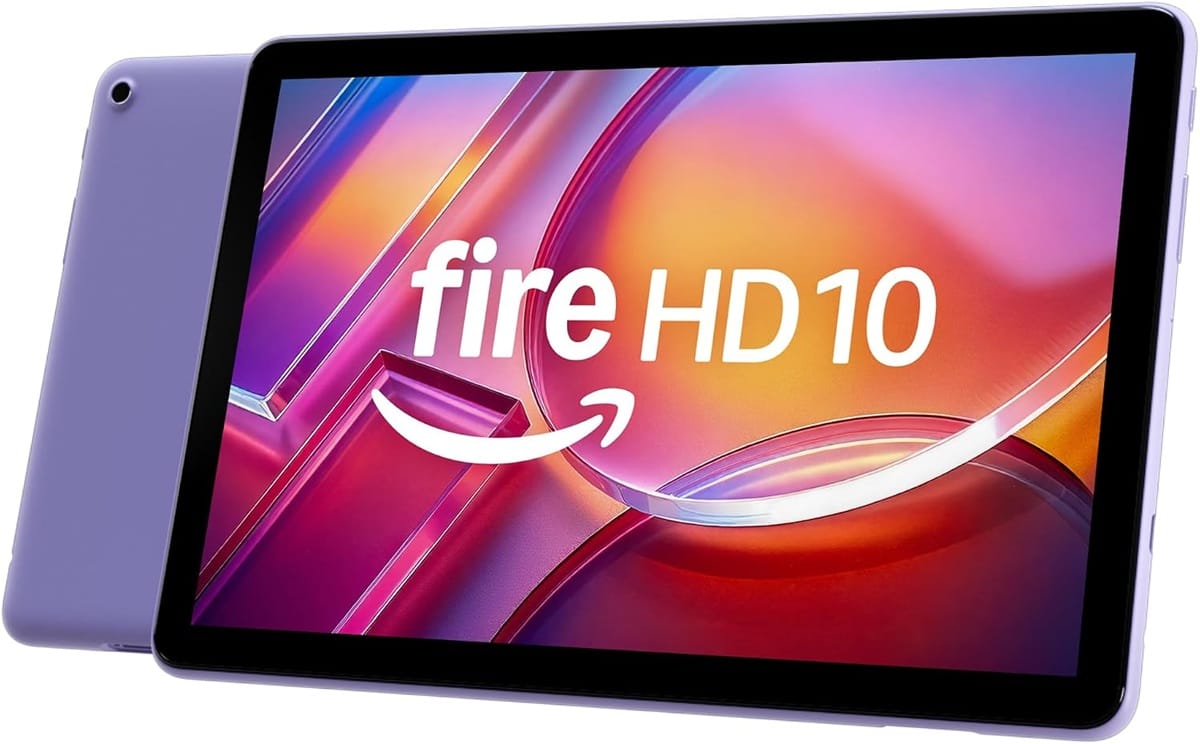
The Fire HD 10 is, by its own reviewers' admission, a tablet that has barely changed since its 2023 release — the most recent update added a single additional gigabyte of RAM and essentially nothing else. That stagnation is worth stating plainly rather than glossing over, but it doesn't entirely disqualify the device from a genuine budget recommendation, because the underlying value proposition — a large, legible Full HD screen and reliable battery life at under $100 — remains fundamentally sound in 2026.
The 10.1-inch Full HD IPS display at 1920×1200 resolution remains genuinely solid for the price, delivering "not bad" (per independent reviewer assessment) visual quality for streaming, reading, and casual browsing. Battery life of up to 13 hours is a strong figure that holds up well against pricier competitors, and expandable storage up to 1TB via microSD addresses the otherwise limiting 32GB/64GB base storage options.
The critical limitation, and it's a significant one worth understanding clearly before purchase: Fire OS is a heavily modified, Amazon-centric version of Android that does not include Google Play Store access. Buyers are restricted to the Amazon Appstore's more limited app selection, and while sideloading Google Play access is technically possible, it's unofficial, can break with software updates, and isn't something to rely on for a device you need working consistently.
Lockscreen ads are present on the base pricing tier (removable via a one-time fee), and the device explicitly should not be compared directly against genuine Android tablets like the Galaxy Tab A11+ in terms of app ecosystem flexibility — it's a fundamentally different, more restricted software environment optimized specifically around Amazon's content ecosystem (Kindle, Prime Video, Audible, Alexa).
Pros
- Genuinely solid Full HD 10.1" display for the price — among the best budget screens available
- Strong 13-hour battery life
- Expandable storage up to 1TB via microSD addresses limited base storage
- Extremely accessible price point, under $100 at base configuration
- Alexa integration and Amazon Kids+ parental controls add family-friendly value
Cons
- Fire OS restricts access to the Amazon Appstore — no official Google Play Store support
- Hardware has barely changed since 2023; the 2026 "update" added only 1GB of RAM
- Lockscreen ads present at base pricing (removable for an additional fee)
- Sideloading Google Play access is unofficial and unreliable long-term
Our Verdict: The Fire HD 10 remains a reasonable pick specifically for buyers deeply invested in Amazon's ecosystem (Kindle, Prime Video, Audible) who want a large, legible screen at the lowest possible price point. For anyone wanting genuine Android app flexibility at a similar price, the Galaxy Tab A11+ is the meaningfully better-rounded choice, even at a somewhat higher cost.
FAQs: Tablets & iPads
Why buy a tablet when you have a smartphone?
With smartphones becoming larger and more powerful, it can seem redundant to own both. However, there are several compelling reasons why investing in a tablet can enhance your tech experience.
1. Greater Portability than Laptops: As per Quora, tablets offer superior portability compared to laptops or notebooks. They're lightweight and compact, making them perfect for travel, commutes, or just lounging around at home. They fit easily into backpacks or handbags without adding significant weight.
2. Larger Display: Tablets provide a bigger screen than smartphones, improving the user experience for various tasks. Lifewire suggests that this larger display makes tablets ideal for mobile gaming and media consumption. It also makes reading and web browsing more comfortable and less straining on the eyes.
3. Long Battery Life: Another significant advantage of tablets is their extended battery life. Tablets typically have longer battery life than smartphones, making them ideal for long flights, road trips, or power outages.
4. Superior Multitasking: With their larger screens and often more powerful processors, tablets allow for better multitasking than smartphones. As BuzzPoint notes, the larger screen makes it easier to view multiple apps or documents side by side, increasing productivity.
5. Enhanced Media and Music Experience: MediaPeanut points out that a tablet's larger storage capacity allows you to access your entire music collection on the go. Additionally, the larger screen and better speakers make watching movies and TV shows a more immersive experience.
6. Cost-Effective for Businesses: ComputerWorld suggests that tablets can function as laptops, offering a cost-effective solution for businesses. Instead of buying expensive smartphones and laptops for employees, companies could invest in tablets, combining the best of both worlds.
What should I look for when buying a tablet?
Key factors include budget, size and weight for portability, display quality (resolution and anti-glare features), operating system (iOS, Android, or Windows) matched to your existing device ecosystem, connectivity options (Wi-Fi versus cellular, available ports), internal specs (processor, RAM, storage), battery life (aim for at least 10 hours), and brand reputation for durability and software support longevity.
Can a tablet replace a laptop?
For many users, yes — particularly with accessories like a keyboard case and stylus. The Apple iPad Pro (M5, 8th Generation) and Samsung Galaxy Tab S10 FE+ on this list are specifically positioned as laptop replacements, though the Samsung Galaxy Tab S10 FE+ full Windows 11 compatibility makes it the more literal laptop substitute for anyone needing genuine desktop software, while the iPad Pro excels for creative and general productivity work within Apple's ecosystem.
What's the difference between a tablet and a smartphone for daily use?
Tablets offer significantly larger screens better suited to reading, video content, and detailed work like document editing or photo editing, along with generally longer battery life. Smartphones win on pure portability and are better suited to quick tasks, calls, and on-the-go use where pocket-sized convenience matters more than screen real estate.
Is Apple or Android better for tablets?
Neither is objectively superior — it depends on priorities. Apple offers tighter software integration, a more curated app store, and generally smoother performance consistency, at a premium price. Android (particularly Samsung's Galaxy Tab line) offers more affordable options, expandable storage, and greater customization, with a more open but less curated app ecosystem.
How much should I spend on a tablet?
Budget tablets around $100-150 handle basic browsing, email, and video streaming adequately. Mid-range tablets ($300-600) offer significantly better performance, displays, and stylus support for productivity and creative work. Premium tablets ($700-1000+) deliver the best available performance, display technology, and storage for demanding professional or creative use cases.
Is the iPad Pro (M5) worth the upgrade from an M1 or M2 model?
For creative professionals and power users doing demanding work, yes — Apple cites up to 3.5x faster AI performance over the M4 and 5.6x over the M1, alongside a genuine OLED display upgrade from mini-LED. For casual users, the performance leap is likely more than necessary, and the standard iPad or iPad Air would be more cost-effective.
What is the best Android tablet alternative to the iPad in 2026?
The Samsung Galaxy Tab S10 FE+ is the strongest current Android flagship alternative, offering a large 13.1" display, an included S Pen, IP68 durability, and expandable storage, at a meaningfully lower starting price than Apple's comparable tablets.
Is the Amazon Fire HD 10 still worth buying in 2026?
It remains a reasonable choice specifically for buyers already invested in Amazon's ecosystem who want the lowest possible price for a large-screen tablet. However, the hardware has barely changed since 2023, and it lacks official Google Play Store access. Buyers wanting genuine Android app flexibility at a similar price should consider the Samsung Galaxy Tab A11+ instead.
How much should I spend on a tablet in 2026?
Budget tablets ($100–150), like the Amazon Fire HD 10, handle basic browsing, streaming, and reading. Mid-range Android tablets ($300–600), like the Galaxy Tab A11+ or Tab S10 FE+, offer significantly better displays, battery life, and stylus support. Premium tablets ($1,000+), like the current iPad Pro, deliver the best available performance and display technology for demanding professional and creative use.
You may be interested in checking out these other reviews.
 Neil Fajardo
 Neil Fajardo
 Neil Fajardo