
Quick Answer: The best wired gaming mouse for most players is the Logitech G502 HERO — 25,600 DPI HERO sensor, adjustable weight system, 11 programmable buttons, and onboard profile memory. For FPS players who want speed without the mass: Corsair SABRE RGB PRO at 74g with 8,000Hz hyper-polling. Best budget pick with outstanding click latency: Logitech G203. Best scroll wheel on this list: Razer Basilisk V3 with its HyperScroll Tilt Wheel. Fully ambidextrous options: Logitech G203 and SteelSeries Sensei 310.
Somewhere around the third hour of a gaming session, you stop being aware of your mouse. That's the goal — not that you stop caring about it, but that it disappears. It becomes an extension. Your hand moves, the cursor moves, the aim lands, and there's no gap between intention and execution. No perceptible lag. No signal dropout. No mechanical hesitation where a fraction of a second lived and made the difference.
That's what a good wired gaming mouse does. It disappears.
The wireless lobby will tell you the cable doesn't matter anymore — and honestly, they have a point. Logitech's LIGHTSPEED protocol and Razer's HyperSpeed wireless have closed the gap to the point where most players genuinely can't detect the latency difference in controlled conditions. But there's a reason a significant portion of professional esports players still plug in. Cable drag aside (solved by paracord cables), there's simply nothing to manage. No battery. No receiver to lose. No firmware update that slightly changes how the wireless handshake behaves. Just the sensor, the switch, and your hand.
Also — and this is less rational but no less real — wired mice are just more honest. They don't run out on you. They don't need to be charged the night before a tournament. They're there when you reach for them, every single time, like a reliable friend who never cancels plans.
What Separates a Gaming Mouse from a Regular One?
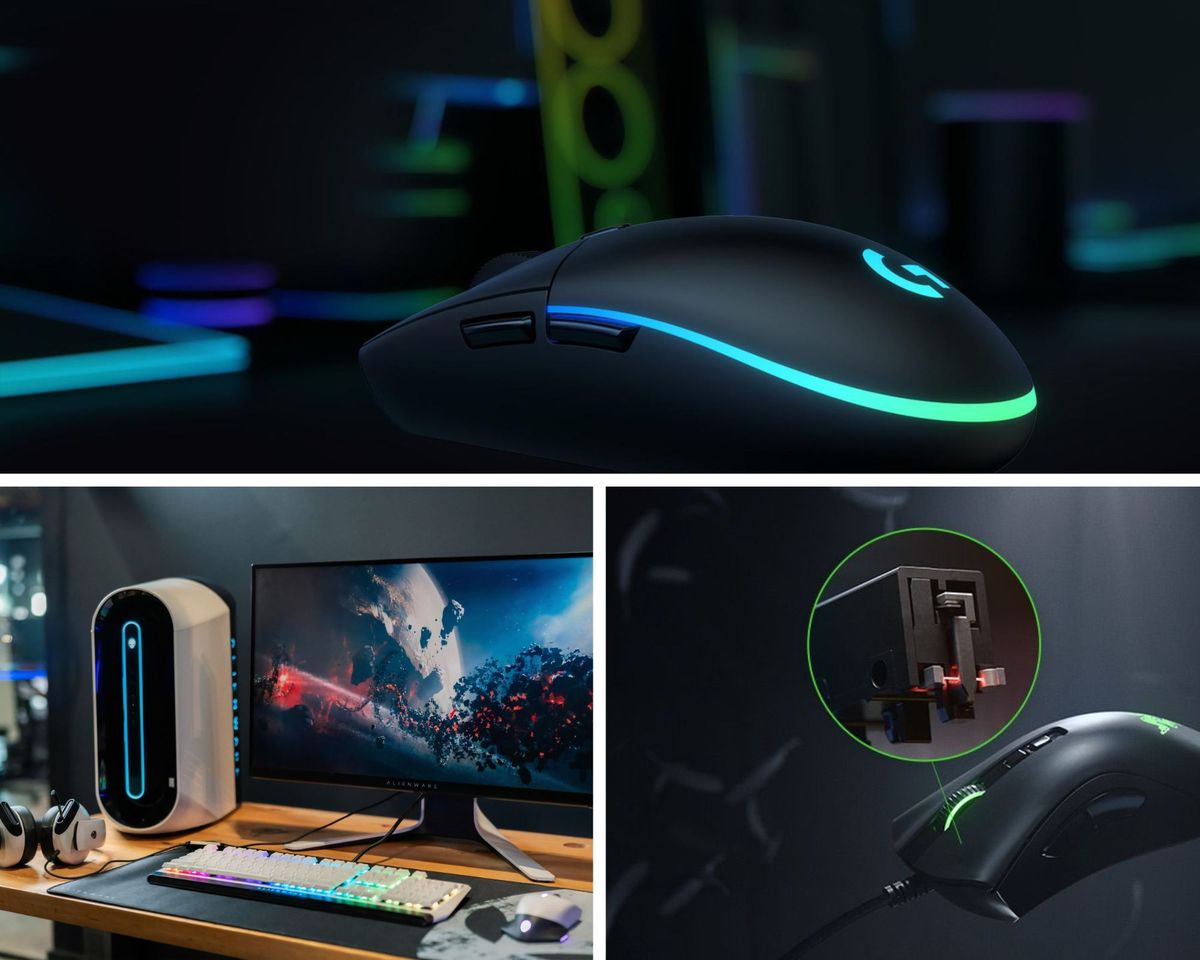
The switch type, primarily. Standard office mice use mechanical dome switches — rubber membranes that register a press when compressed. They're fine for spreadsheets. Under rapid, repeated clicking in an FPS, they accumulate actuation delay and wear faster. Gaming mice use either high-quality mechanical switches (rated for 20–50 million clicks) or optical switches, which use a light beam instead of physical contact and register at the speed of light, literally. The Razer Basilisk V3 and DeathAdder V2 on this list use optical switches rated to 70 million clicks. Your wrist will probably give out before the switch does.
The sensor is the other critical difference. Consumer mice use optical sensors tuned for desktop accuracy at office speeds — slow, deliberate movements across a small range. Gaming sensors are calibrated for high-speed tracking across larger surfaces, with DPI ranges that let you tune sensitivity precisely for your screen resolution, game genre, and personal style. The HERO 25K sensor in the Logitech G502 tracks accurately at everything from 100 DPI to 25,600 DPI without jitter or acceleration artifacts. That's a range most players will never fully explore — but having it means the sensor doesn't run out of accuracy before you do.
DPI explained simply: DPI (dots per inch) is how far your cursor travels per inch of physical mouse movement. High DPI = small movements produce large cursor travel. Low DPI = large movements produce small cursor travel. Most competitive FPS players run between 400 and 1600 DPI. MMO and MOBA players often go higher. The important thing is the ability to adjust in precise increments, not the ceiling.
Polling rate explained simply: How frequently the mouse reports its position to the PC. Standard is 125Hz (every 8ms). Gaming mice typically run at 1000Hz (every 1ms). The Corsair SABRE RGB PRO on this list runs at 8000Hz — every 0.125ms. Whether you can perceive the difference between 1000Hz and 8000Hz is debated, but the headroom is there.
Wired vs. Wireless: The Honest Version
Neither is objectively better in 2026. Both have valid use cases.
Wired wins on: consistency, price for equivalent performance, no battery anxiety, paracord cables that effectively eliminate drag, and zero-latency floor.
Wireless wins on: desk cleanliness, freedom of movement, no cable management, and the ability to game from the couch.
The one scenario where wired is still clearly correct: professional competitive play, or anyone whose gaming involves rapid, large-surface tracking movements where cable drag — however minimised — introduces a physical variable. For everyone else, the choice is preference.
This list is weird. Every mouse here is better than its price suggests and more reliable than any battery can promise.
At a Glance — 2026 Comparison Table
| # | Product | Sensor / DPI | Polling Rate | Weight | Buttons | Best For | Rating |
|---|---|---|---|---|---|---|---|
1 | Logitech G502 HERO | HERO 25K / 25,600 DPI | 1,000Hz | 121g (adj.) | 11 | All-round, MMO | ★★★★½ — 4.5/5 |
2 | Razer DeathAdder V2 | Focus+ / 20,000 DPI | 1,000Hz | 82g | 8 | FPS, right-hand ergonomic | ★★★★¼ — 4.3/5 |
3 | Logitech G203 Lightsync | Gaming-grade / 8,000 DPI | 1,000Hz | 85g | 6 | Budget FPS, ambidextrous | ★★★★ — 4.2/5 |
4 | Razer Basilisk V3 | Focus+ / 26,000 DPI | 1,000Hz | 101g | 11 | Advanced customisation, scroll-heavy use | ★★★★ — 4.1/5 |
5 | SteelSeries Sensei 310 | TrueMove3 / 12,000 CPI | 1,000Hz | 92g | 6 | Ambidextrous, cross-platform | ★★★★ — 4.0/5 |
6 | Corsair SABRE RGB PRO | PixArt PMW3392 / 18,000 DPI | 8,000Hz | 74g | 6 | Ultralight FPS, esports | ★★★★ — 4.0/5 |
How to Choose the Right Wired Gaming Mouse
Grip style first. This is the variable that determines shape compatibility more than any spec. Palm grip: whole hand rests on the mouse, suits larger ergonomic shapes like the G502 and DeathAdder V2. Claw grip: fingers arch over buttons, suits medium-profile mice across this list. Fingertip grip: only fingertips contact the mouse, suits lighter, lower-profile mice like the SABRE Pro and G203. If you've never thought about this, pay attention to how your hand naturally sits on your current mouse. That's your grip style.
Weight. FPS players with fast technique trend toward lighter mice (under 85g). MMO and strategy players with deliberate technique often prefer heavier mice with better button counts. The adjustable weight system on the G502 lets you tune rather than commit.
Button count. FPS: Six is sufficient. MMO: The G502's eleven buttons and G-Shift layer give you a near-dedicated-MMO-mouse button count. Somewhere in between: the Basilisk V3's eleven buttons with HyperScroll add input options that pure FPS mice don't bother with.
Sensor quality. Every sensor on this list is excellent for 99% of players. The differences between an 8,000 DPI and a 25,600 DPI sensor matter less than the accuracy and consistency of tracking at the DPI ranges you actually use.
Final Thoughts
The office mouse sitting in a drawer somewhere — the one that came with a desktop PC years ago, with its soft dome switches and its 800 DPI fixed sensitivity — it's not actually a bad object. It does the job it was designed for. The problem is that it was designed for a different job than gaming.
A gaming mouse is calibrated for a specific kind of precision use. The switches are faster and more durable. The sensor is more accurate and more responsive. The weight is considered rather than incidental. The buttons are placed where hands expect them rather than where manufacturing efficiency placed them.
The G502 HERO is the safe, comprehensive choice — sensor, weight system, buttons, everything. The DeathAdder V2 is for FPS players who want the proven shape. The G203 is for players who want proper gaming performance without the price. The Basilisk V3 is for players who want to configure everything. The Sensei 310 is for left-handed players who deserve better than they usually get from this market. The SABRE PRO is for players who want the lightest, fastest, most drag-free experience available at this price point.
All of them do the thing that matters: they disappear in the hand. You stop thinking about the mouse. You think about the game.
That's the point.
Every day, we read hundreds of reviews and try the highest-rated products we have on our list. We've researched for you and found the Best Wired Gaming Mouse on Amazon.
Wired Gaming Mouse - Reviews
Logitech G502 HERO — Best Overall
Rating: 4.5/5
Product information
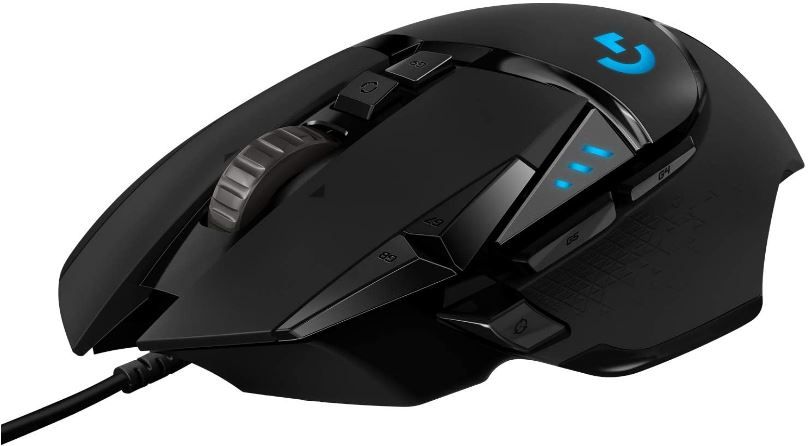
The G502 HERO is one of those products that refuses to leave best-of lists because the competition keeps validating why it's there. It has been the benchmark gaming mouse for several years. Not because Logitech has the loudest marketing, but because the hardware keeps earning the position through actual use.
The HERO 25K sensor is the headline — and a genuine one. The previous HERO 16K sensor was already considered class-leading; the 25K is a software-level upgrade that existing G502 owners can access through G HUB without touching the hardware. That kind of upgrade path is rare and worth noting. In practice, the sensor tracks with zero acceleration or smoothing artifacts across the entire DPI range, at slow deliberate movements and at the fast flick speeds that FPS gaming demands. You stop thinking about whether the cursor is going where you intended. It always is.
The adjustable weight system is either the defining feature of the G502 or a piece of engineering theatre, depending on who you ask. Five 3.6-gram weights, repositionable across the mouse's interior to shift balance forward, backward, or centred. For palm-grip players who spend hours with the mouse, the ability to tune weight distribution to reduce wrist fatigue is genuinely useful — not theoretical, but measurable in how the mouse tracks during extended sessions. For players who don't care about weight balance, the weights sit in their storage tray and never get touched, which is fine too.
Eleven programmable buttons, including a sniper button below the thumb that drops DPI for precision shots, tilt-click on the scroll wheel, and a G-Shift equivalent via G HUB that gives every button a secondary function. For MMO players, the G502 ends up on shortlists that shouldn't logically include it — a right-handed, heavy, palm-grip mouse competing with dedicated MMO mice — but the input count pushes it there.
The honest trade-off is weight. At 121g before weights, the G502 is among the heavier mice on this list. Coming from a lighter mouse, the first week feels like moving in slow motion. After that week, most players adapt and stop noticing. If you're sensitive to weight or play with a very fast flick-shot technique, the Corsair SABRE or Razer DeathAdder V2 are the alternative paths.
Pros
- HERO 25K sensor: zero smoothing, zero acceleration, accurate across the full DPI range
- Adjustable weight system — personalised balance tuning with five 3.6g weights
- 11 programmable buttons plus G-Shift second-function layer
- Onboard memory for five profiles — settings travel with the mouse
- LIGHTSYNC RGB with full G HUB customisation and ecosystem sync
- Mechanical switch tensioning system for crisp, rapid click feedback
Cons
- 121g is heavy — uncomfortable for players with smaller hands or fast-flick playstyles
- Large ergonomic shape designed for palm grip — not suited to claw or fingertip grip
- Right-handed only
- Extra buttons increase accidental click risk during intense sessions
Our Verdict: The G502 HERO is the mouse that validates the phrase "best overall." It does everything, does it with precision, and earns its position on this list the same way it has for several years — by being genuinely difficult to fault for the majority of players who try it. If you have medium to large hands and want one mouse for everything, this is the one.
Razer DeathAdder V2 — Best for FPS
Rating: 4.3/5
Product information
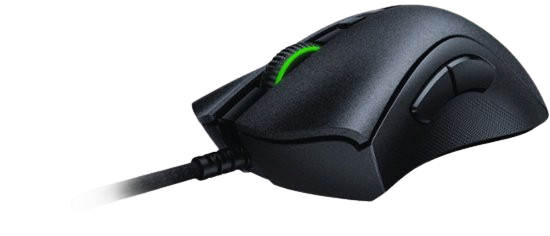
The DeathAdder shape has been the reference ergonomic design in gaming mice for long enough that reviewers use it as the measuring stick against which other shapes are compared. That's not an accident. The specific curve — the way the hump sits under a medium or large hand, the position of the thumb rest, the angles of the side buttons — has been refined across enough generations that it now fits a wider range of hand sizes and grip styles than almost any other right-handed ergonomic design.
The V2 brings optical switches to that shape. The difference between optical and mechanical switches isn't subtle to fast typists and competitive players: optical switches register at the speed of light through a beam-based actuation, with no physical contact and no debounce delay. The rated speed is three times faster than traditional mechanical switches. Razer's own testing puts actuation at the speed of light — which is technically accurate, and slightly absurd, and entirely real. The 70-million-click lifespan means this mouse will functionally outlast several upgrade cycles.
The Focus+ sensor self-calibrates across different mouse pad surfaces — a genuinely useful feature that most players never configure manually, but which means the sensor performs consistently whether you're on cloth, hard, or hybrid surfaces without adjusting settings. Lift-off distance is customisable down to near-zero, which matters for players who use wide, sweeping movements and frequently re-centre the mouse by lifting it.
The Speedflex cable deserves separate mention. Most wired mouse cables have memory — they curl, resist, and drag in ways that introduce micro-resistance during fast movements. The Speedflex uses a braided paracord construction that's soft, highly flexible, and effectively forgets any coiled position it was stored in. With a mouse bungee or cable clip, the drag is essentially zero. This is what the "wireless feel with wired reliability" marketing language actually means when it's honest.
Pros
- DeathAdder ergonomic shape: proven across generations, fits a wide range of hand sizes
- Razer Optical Switches: actuation at light speed, zero debounce, 70 million click lifespan
- Focus+ sensor: self-calibrating, accurate across all surface types
- Speedflex drag-free cable — near-wireless cable resistance
- Chroma RGB syncs with Razer peripherals and Philips Hue ecosystem
- 8 programmable buttons with Hypershift secondary function layer
Cons
- Right-handed only — no left-handed variant
- Can feel large for players with smaller hands
- Limited to two RGB lighting zones — less impressive than the Basilisk V3's 11 zones
- Some users find the textured side grip uncomfortable over very long sessions
Our Verdict: The DeathAdder V2 is for FPS players who want the proven shape, optical switch precision, and a cable that stops fighting against fast movement. It's not the flashiest mouse on this list and doesn't try to be. It tries to be the most reliable, most comfortable, most accurate mouse at its price point — and consistently is.
Logitech G203 Lightsync — Best Budget Pick
Rating: 4.2/5
Product information
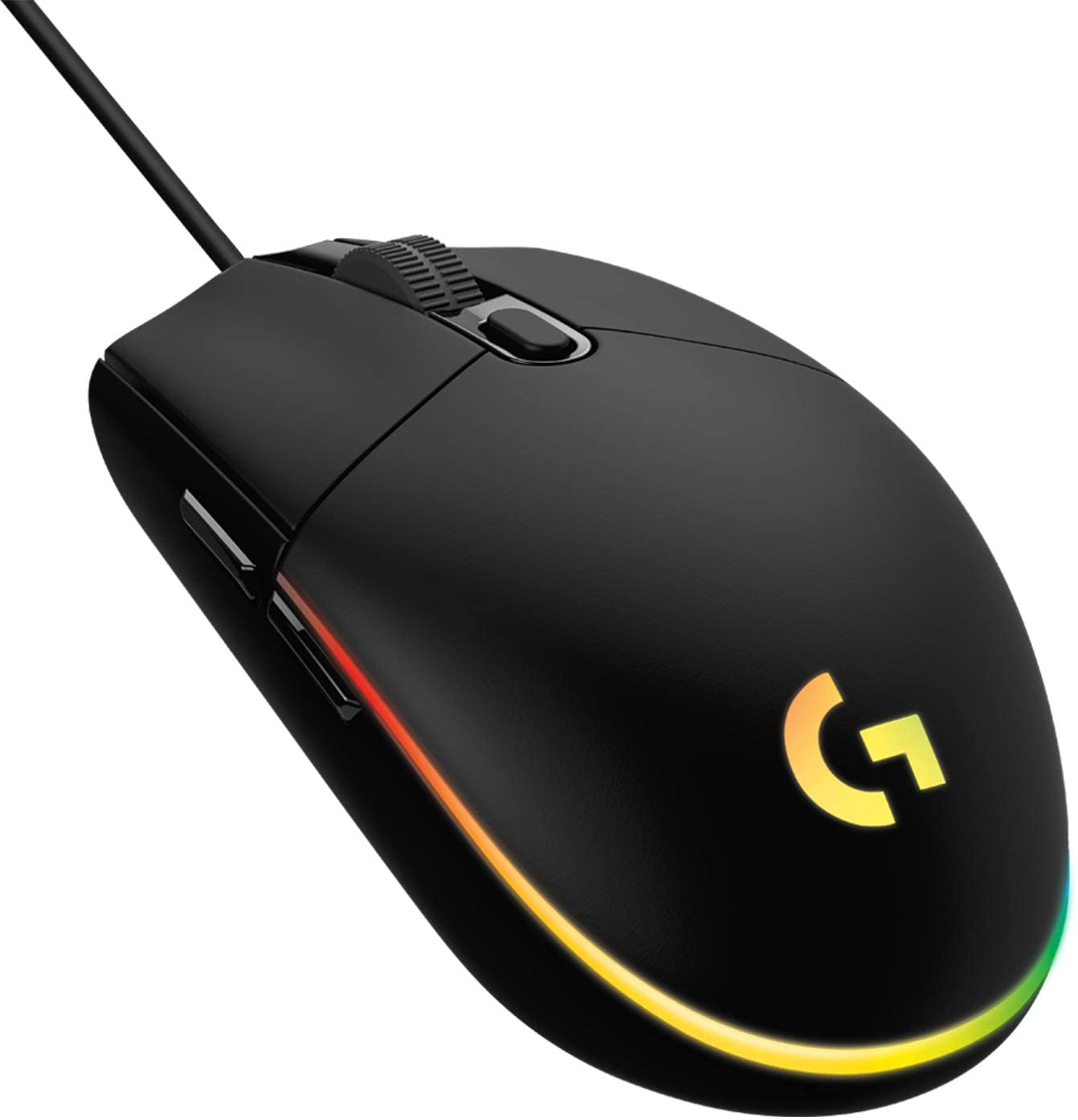
The G203 is the mouse that keeps embarrassing more expensive alternatives. Not in peak performance — the 8,000 DPI ceiling and six-button layout are modest by flagship standards — but in the things that actually determine whether a gaming mouse feels good in daily use: click latency, sensor accuracy, build quality, and software integration.
The click latency on the G203 is outstanding for its price tier. Measurably low — competitive with mice twice the cost — because Logitech uses the same mechanical switch quality standards across their gaming lineup rather than reserving tight tolerances for premium models only. The sensor tracks cleanly at the DPI ranges most competitive players actually use (400–1600 DPI in most cases), and G HUB's software integration means you get the same customisation depth available on the G502 despite the lower price point.
The ambidextrous design is genuinely symmetrical — not "kinda symmetrical with side buttons on both sides for show" but actually comfortable for left-handed players in the same way it is for right-handed ones. This is rarer than it should be in gaming mice, which largely cater to right-handed ergonomic shapes. If you're left-handed and don't want to pay a premium for a dedicated left-handed design, the G203 is the practical answer.
The limitations are honest. Six buttons are the minimum for gaming use — functional for FPS, limiting for MMO. The cable isn't the flexible, drag-minimising paracord of the DeathAdder V2 — it's a standard rubber cable that develops some stiffness over time. The 8,000 DPI ceiling is fine for 1080p and 1440p gaming, but it will feel limiting at 4K if you run high sensitivity settings.
What the G203 doesn't do: let you down. That sounds like faint praise. For a gaming peripheral, it's a significant distinction.
Pros
- Outstanding click latency — competitive with mice at significantly higher price points
- Ambidextrous design — genuinely comfortable for both left and right-handed players
- 8,000 DPI gaming sensor with five adjustable sensitivity settings
- G HUB software integration — full customisation depth despite budget positioning
- LIGHTSYNC RGB with ecosystem sync capability
- Windows and macOS compatible
Cons
- Six buttons only — limiting for MMO and macro-heavy playstyles
- Standard rubber cable — develops stiffness over time, less drag-resistant than paracord
- 8,000 DPI ceiling — may feel limiting at 4K or for players who run high sensitivity
- Not the most exciting design — functional rather than distinctive
Our Verdict: The G203 is the mouse you recommend to someone who wants a proper gaming mouse without the premium price, or a left-handed player who refuses to settle for an afterthought. The click latency genuinely punches above its class. If your gaming is FPS-focused and your budget is tight, this is the no-regret choice.
Razer Basilisk V3 — Best for Customisation & Scroll Control
Rating: 4.1/5
Product information
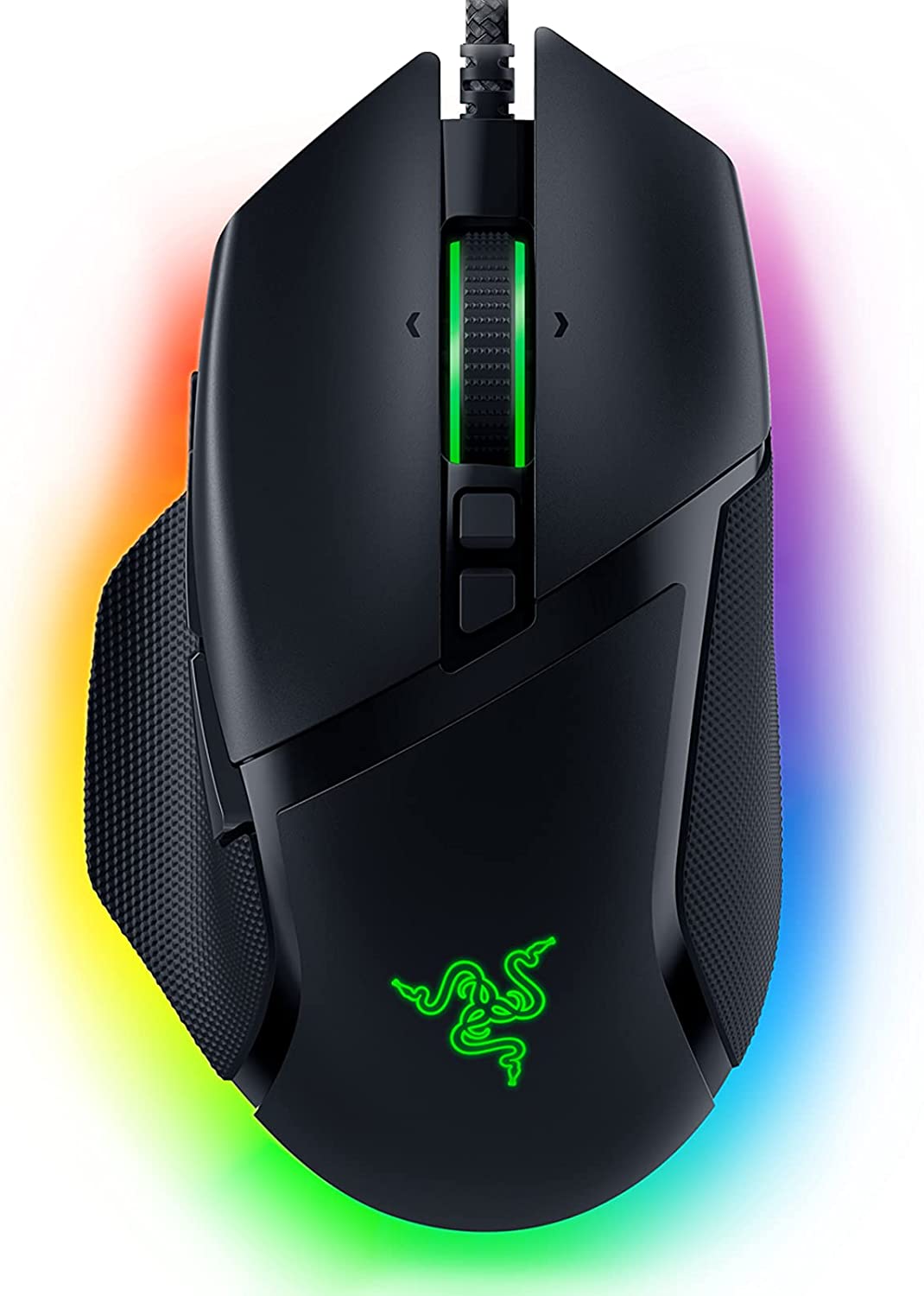
The Basilisk V3 is where Razer puts its most feature-dense hardware into a single wired package. The sensor — Focus+ at 26,000 DPI, tracking up to 650 inches per second — is the highest DPI ceiling on this list. But the sensor, impressive as it is, isn't the reason to buy this mouse. The HyperScroll Tilt Wheel is.
Most scroll wheels do one thing: scroll. The HyperScroll does two. In tactile mode, it clicks through resistance in the familiar way — one notch per detent, ideal for precise cycling through weapon slots, ability bars, or numbered items in an inventory. In free-spin mode, the resistance mechanism disengages completely, and the wheel spins freely with virtually no friction. Flick it once, and it keeps spinning, which — for web browsing, document scrolling, or any context where you want to move through content quickly — is one of those features that makes you wonder why all scroll wheels don't work this way. The tilt-click left and right adds two more effective inputs without adding physical buttons.
Eleven programmable buttons, Hypershift for a second function layer, and Razer Synapse 3 giving you per-game profiles, macro recording, and audio-reactive RGB — this is a mouse for players who want to configure everything. The 11 Chroma lighting zones react dynamically with supported games (150+ titles as of 2026), which is either an immersive feature or a distracting one depending on your priorities.
The Focus+ sensor inherits the self-calibrating surface detection of the DeathAdder V2 — consistent performance across different pad materials without manual adjustment. At 101g, the Basilisk is medium-weight — heavier than the G203 and Corsair SABRE, lighter than the G502. The ergonomic shape is right-handed with a pronounced thumb rest, and a textured rubber grip that some users find premium and others find slightly fatiguing after three-plus hours.
Pros
- HyperScroll Tilt Wheel: free-spin and tactile modes plus L/R tilt click — genuinely differentiated
- Focus+ 26K DPI sensor with zero smoothing and self-calibrating surface detection
- 11 programmable buttons plus Hypershift doubles effective input count
- 11 Chroma RGB zones with game-reactive lighting across 150+ titles
- Optical Gen 2 switches: 0.2ms actuation, 70 million click rating
- Premium build quality with textured grip that reads as deliberate rather than cheap
Cons
- Price — among the higher-cost options on this list
- Right-handed only
- Thumb paddle ergonomics are less refined than some competitors at this price point
- Wired only — no wireless version of the V3 (the Basilisk V3 Pro is the wireless alternative)
Our Verdict: The Basilisk V3 is the right mouse for players who use the scroll wheel as a meaningful input — weapon cycling, ability navigation, scrolling through large interfaces — and want a sensor that doesn't compromise while they're doing it. The HyperScroll is the feature that justifies the step up from the DeathAdder V2. If you don't need it, save the money.
SteelSeries Sensei 310 — Best Ambidextrous Option
Rating: 4.0/5
Product information
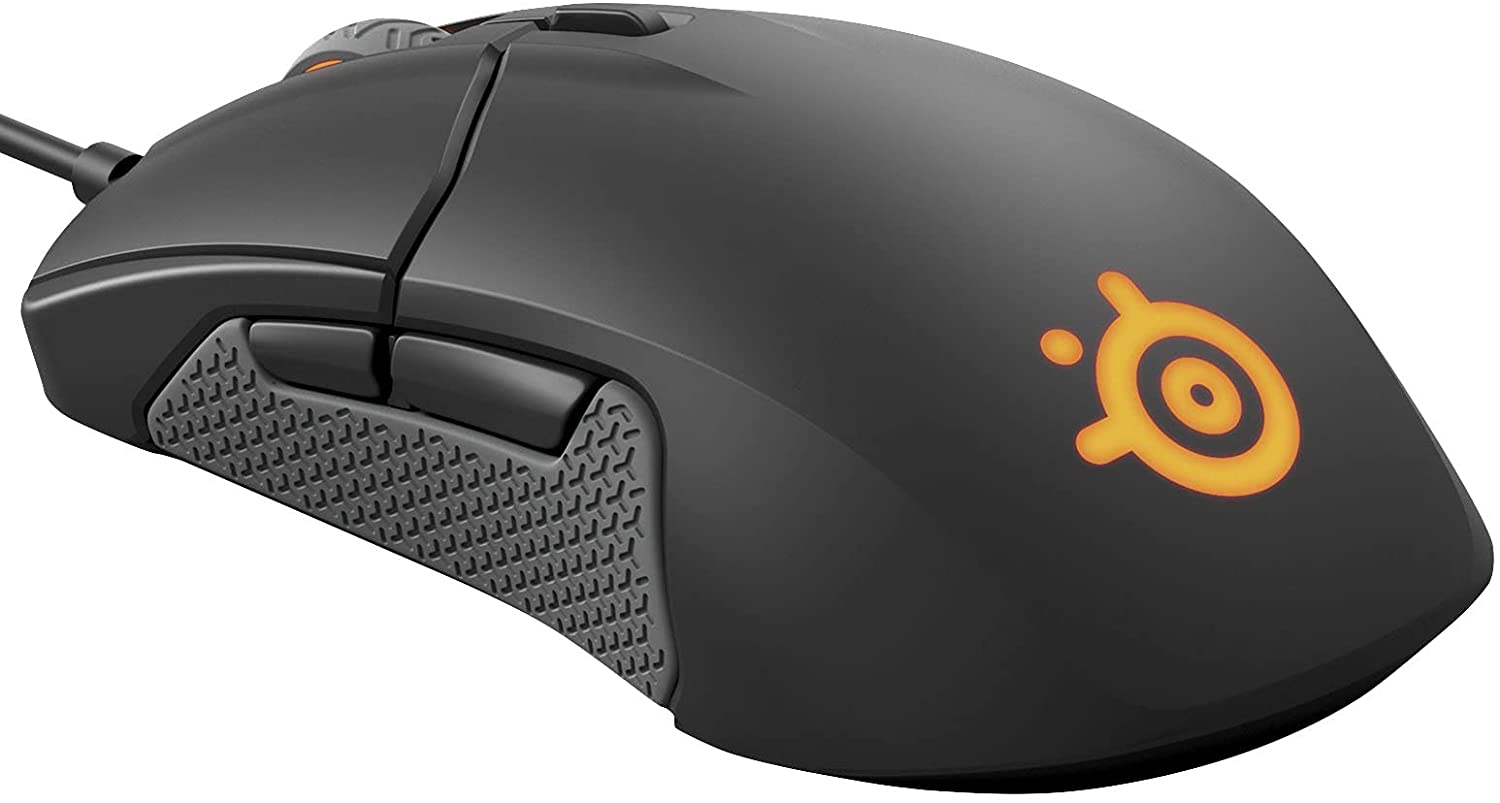
SteelSeries built its reputation in esports peripheral hardware, and the Sensei 310 carries that lineage in a form that neither overreaches nor undersells itself. The TrueMove3 sensor — developed in partnership with PixArt specifically for SteelSeries — delivers 1-to-1 tracking: every physical movement of the mouse translates directly to cursor movement with no acceleration, no prediction, and no correction algorithms smoothing over the input. For competitive players who rely on muscle memory, this matters more than a high DPI ceiling.
The ambidextrous design is the Sensei's strongest differentiating feature. Unlike the G203's ambidextrous shape (which skews slightly toward conventional right-handed comfort), the Sensei 310's design is genuinely derived from SteelSeries' long history of ambidextrous mouse development — it accommodates both claw and palm grip comfortably for either hand. The side buttons on both sides are positioned intuitively rather than awkwardly. For left-handed players who refuse to accept a lesser experience because left-handed gaming hardware is treated as a niche market, this is the option that doesn't feel like a compromise.
All six buttons are programmable via SteelSeries Engine — macros, DPI switching, media controls, and application launches. Settings save directly to the mouse's onboard memory, which means your profile follows the device rather than requiring SteelSeries Engine to be installed on every machine you use.
The criticism that appears most in reviews: the SteelSeries Engine software is less intuitive than Logitech's G HUB or Razer Synapse for new users. The cable is a fairly stiff rubber construction — functional but not the flexible paracord that reduces drag on the DeathAdder and Corsair entries. And at 12,000 CPI, the sensor ceiling is modest compared to the 25K and 26K options above — though again, most players operate well below any of these ceilings in practice.
Pros
- TrueMove3 sensor: 1-to-1 tracking with zero acceleration or prediction — genuine esports calibration
- Fully ambidextrous — excellent for left-handed players and symmetrical grip styles
- All six buttons programmable with onboard profile storage
- Cross-platform: Windows, Mac, and Linux compatible — rare in gaming mice
- Good click latency and well-built construction
- Proven esports ergonomics with claw and palm grip support
Cons
- SteelSeries Engine software is considered less intuitive than competitors
- Stiff rubber cable — not drag-minimising paracord
- Six buttons only — not suitable for MMO or button-heavy playstyles
- Two-zone RGB lighting — less extensive than most competitors
Our Verdict: The Sensei 310 is for two specific players: left-handed gamers who want a proper ambidextrous mouse from a brand that takes it seriously, and cross-platform users who need Linux compatibility without sacrificing gaming-grade sensor performance. For everyone else, the G203 offers comparable performance at a lower price, or the G502 offers more at a higher price.
Corsair SABRE RGB PRO Champion Series — Best Ultralight FPS Pick
Rating: 4.0/5
Product information
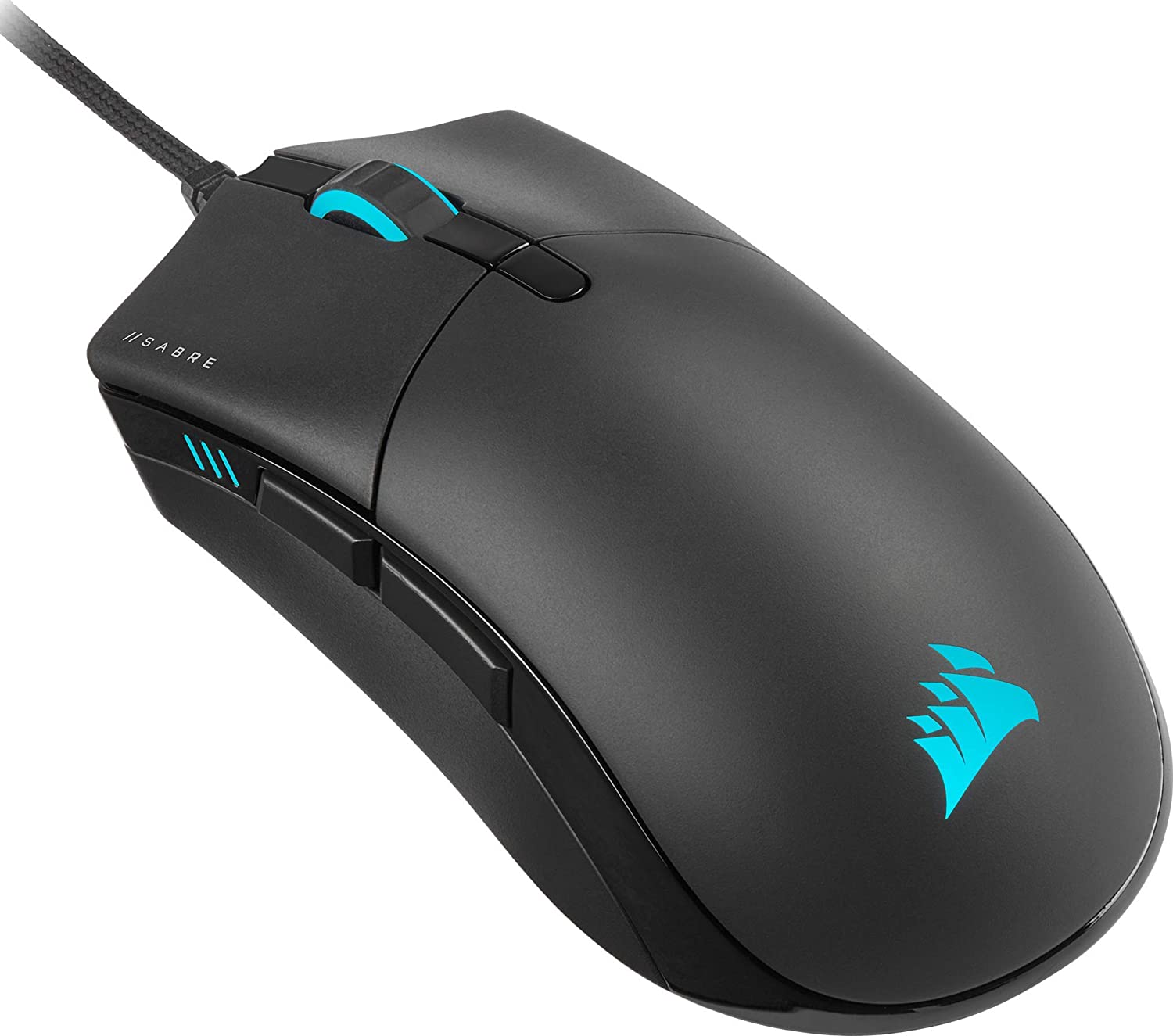
Seventy-four grams. That's the starting point for understanding why the Corsair SABRE RGB PRO exists and who it's for. It's the lightest mouse on this list by a meaningful margin — seventeen grams lighter than the next closest (DeathAdder V2 at 82g), and forty-seven grams lighter than the G502 HERO. In terms of how a mouse feels in motion, that difference is enormous.
Lightweight mice suit a specific playstyle: fast flick shots, high mousepad sensitivity, and large sweeping arm movements rather than precise wrist adjustments. FPS players who run low DPI and make large physical movements to track targets benefit most from lower weight — less inertia to start and stop the mouse means faster repositioning and more precise stopping accuracy at the end of a flick. The SABRE PRO was designed with this use case explicitly in mind and tested with professional esports players whose livelihood depends on exactly that performance profile.
The 8,000Hz hyper-polling — CORSAIR's AXON technology — transmits position data to the PC eight times faster than standard 1,000Hz mice. Whether this produces perceptibly different results is contested: at 1,000Hz, the mouse reports every millisecond, which is already faster than most human reflexes. At 8,000Hz, it reports every 0.125ms. The theoretical latency floor is lower. Whether that theoretical advantage manifests in real-world gameplay for most players is an open question — but for competitive players who want every possible marginal advantage, the headroom is there.
The QUICKSTRIKE buttons use a spring-loaded design to eliminate the tiny mechanical gap between the button surface and the switch mechanism — the microseconds spent compressing that gap before the switch actuates. The PTFE glide pads are replaceable, which matters because feet wear over time, and degraded glide consistency subtly affects tracking quality in ways you don't consciously notice until you replace them. The paracord cable is soft, light, and resists coiling — in combination with a mouse bungee, the drag approaches zero.
Pros
- 74g — the lightest mouse on this list, optimised for fast FPS playstyles
- 8,000Hz hyper-polling — lowest theoretical latency on this list
- QUICKSTRIKE spring-loaded buttons eliminate pre-travel gap before switch actuation
- Paracord drag-reducing cable plus 100% PTFE replaceable glide pads
- Esports-validated: tested by professional competitive players
- Focused, no-compromise design for speed and responsiveness
Cons
- Hyper-polling at 8,000Hz may place additional processing load on lower-spec systems
- Minimal extra features — no adjustable weights, limited button count
- Right-handed ergonomic design — not ambidextrous
- RGB lighting is present but not extensive
Our Verdict: The SABRE RGB PRO is a purpose-built tool for one type of player — someone who prioritises weight, polling rate, and cable drag above all else because those variables directly affect FPS performance. For that player, it over-delivers. For everyone else, the G502 or DeathAdder V2 offers a broader feature set at a comparable or lower cost.
FAQs: Wired Gaming Mouse
What is the average lifespan of a gaming mouse?
Most gaming mice last two to five years with regular use, depending on build quality and intensity of use. High-end models with optical switches rated to 70 million clicks (Razer DeathAdder V2, Basilisk V3) will outlast most casual-to-competitive players' upgrade cycles. The most common failure point isn't the switch — it's the cable, the scroll wheel encoder, or the feet wearing down. Replacing PTFE feet (as on the Corsair SABRE Pro) is a legitimate maintenance step that extends lifespan.
Should a gaming mouse be heavy or light?
It depends on your grip style and game genre. Light mice (under 85g) suit fast FPS flick-shot technique and low-sensitivity, high-sweep-range play. Heavy mice (over 100g) with adjustable weights suit deliberate movements, MMO play, and players who prefer stability over agility. Neither is objectively better — the best weight is the one that matches how you actually move.
How much should I spend on a gaming mouse?
For most players, the $66–$106 range covers every feature needed for competitive performance — good sensor, low latency, solid switches, programmable buttons. Below $40: functional but compromised. Above $133: diminishing returns unless you specifically need higher polling rates, optical switches, or advanced customisation features. The Logitech G203 demonstrates that excellent gaming performance doesn't require premium pricing.
Wired or wireless in 2026?
Both are viable. Wired remains the choice for players who want zero variables — no battery, no firmware, no wireless interference in crowded environments. Wireless is increasingly the choice for players who prioritise desk cleanliness and freedom of movement. At equivalent price points, wired mice still offer slightly better performance-per-pound because you're not paying for wireless electronics.
What DPI should I use for gaming?
Most competitive FPS players run between 400–1600 DPI with in-game sensitivity adjustment to tune total travel. Higher DPI is useful at high screen resolutions (4K) or for MMO/MOBA play where cursor speed matters more than sniper precision. The DPI ceiling of your mouse matters less than the accuracy and consistency of the sensor at the settings you actually use.
 Neil Fajardo
 Neil Fajardo
 Save With Reviews